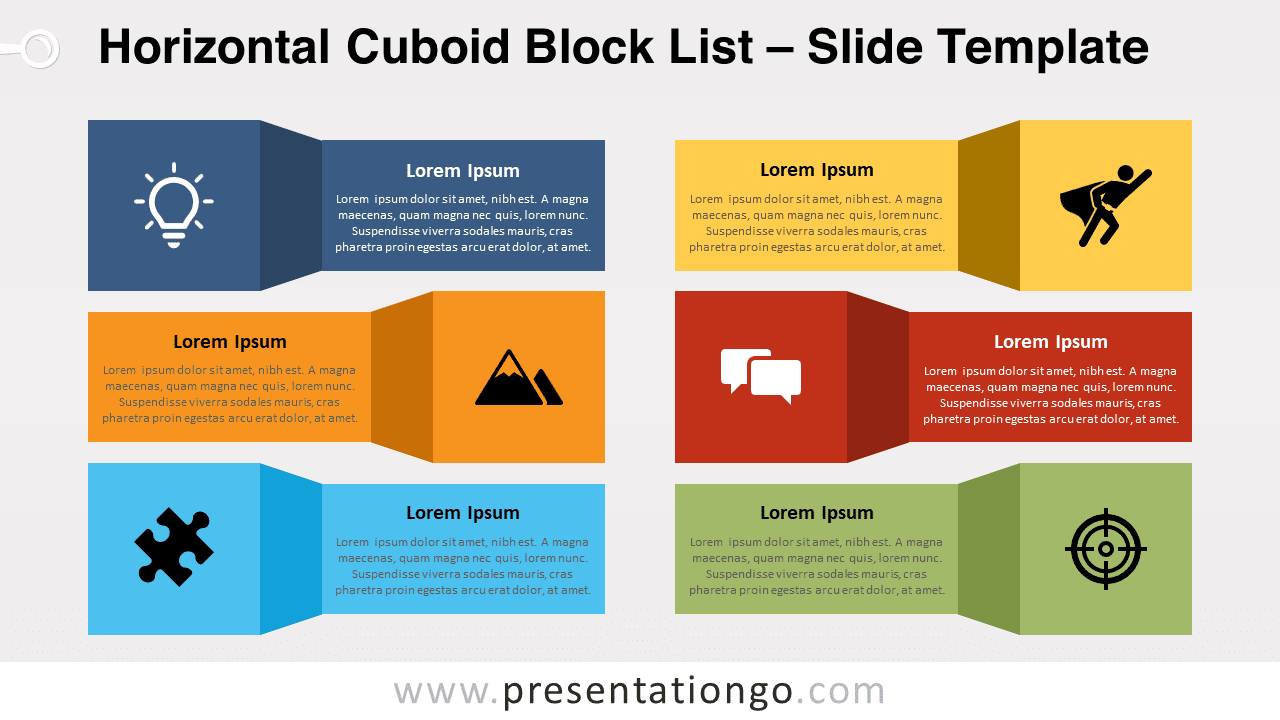
Discover the Horizontal Cuboid Block List for PowerPoint and Google Slides, a versatile and visually engaging graphic that helps you create captivating presentations. Fully editable and customizable, with icons and text placeholders.
Horizontal Cuboid Block List
Introducing our new versatile and visually engaging Horizontal Cuboid Block List for PowerPoint and Google Slides! This dynamic editable graphic is perfect for creating captivating presentations that showcase your content in a striking and organized manner.
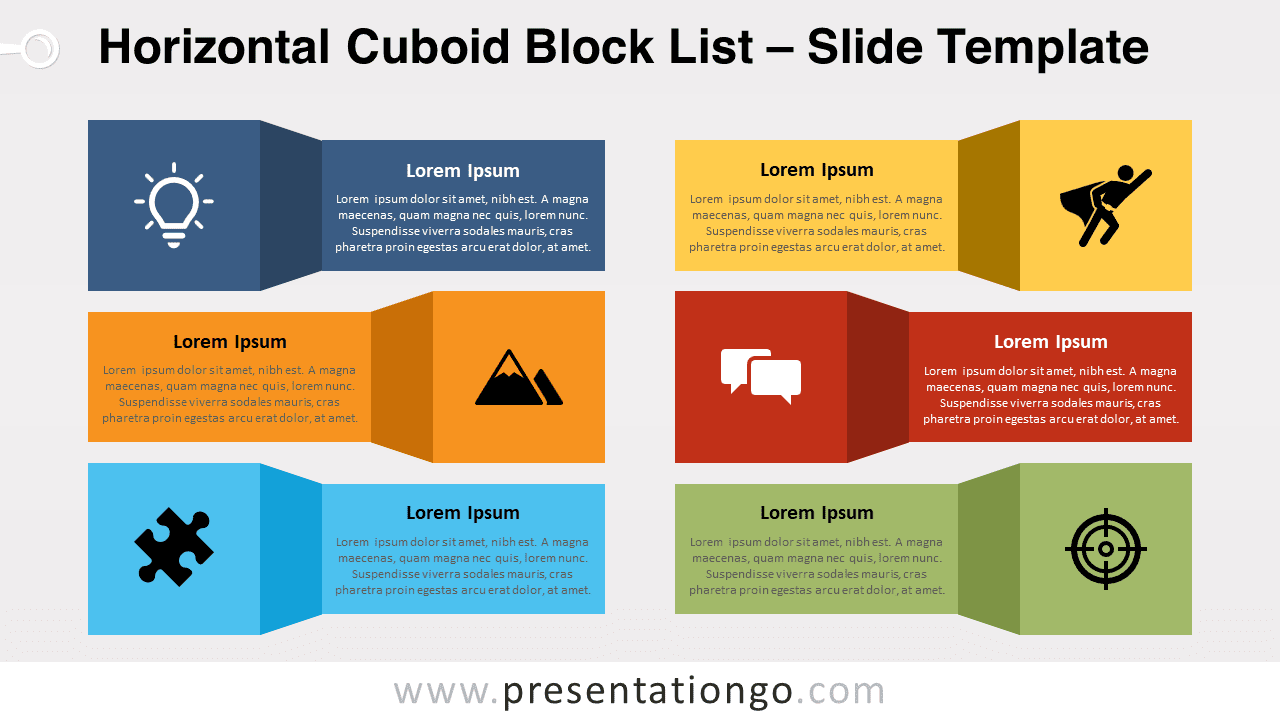
The Horizontal Cuboid Block List features six horizontally-aligned elements, with three on the left side and three on the right, arranged in an alternating vertical order. Each element consists of a square with a 3D effect (a flat design cube) connected to a horizontal rectangle. The cube-like square showcases an icon while the rectangle serves as a placeholder for text information. Each element has a unique color, making it easy to distinguish and follow. These shapes are fully editable, allowing you to customize the size, colors, and icons to suit your specific needs.
This versatile graphic can be used in a wide range of presentations, including as a table of contents, list, or process flow. It’s an excellent tool for structuring and organizing information, ensuring that your audience can easily follow and grasp the key points of your presentation.
The Horizontal Cuboid Block List is suitable for various topics, such as project management, marketing strategies, product development, and more. Its adaptable design enables you to tailor it to fit any subject matter or industry, making it a valuable addition to your presentation toolkit.
Elevate your presentations with the Horizontal Cuboid Block List for PowerPoint and Google Slides. Its visually appealing design and customizable elements make it an ideal solution for conveying your information in a concise and engaging manner. Download it for free today and discover the difference it can make in your next presentation!
Shapes are 100% editable: colors and sizes can be easily changed.
Includes 2 slide option designs: Standard (4:3) and Widescreen (16:9).
Widescreen (16:9) size preview:
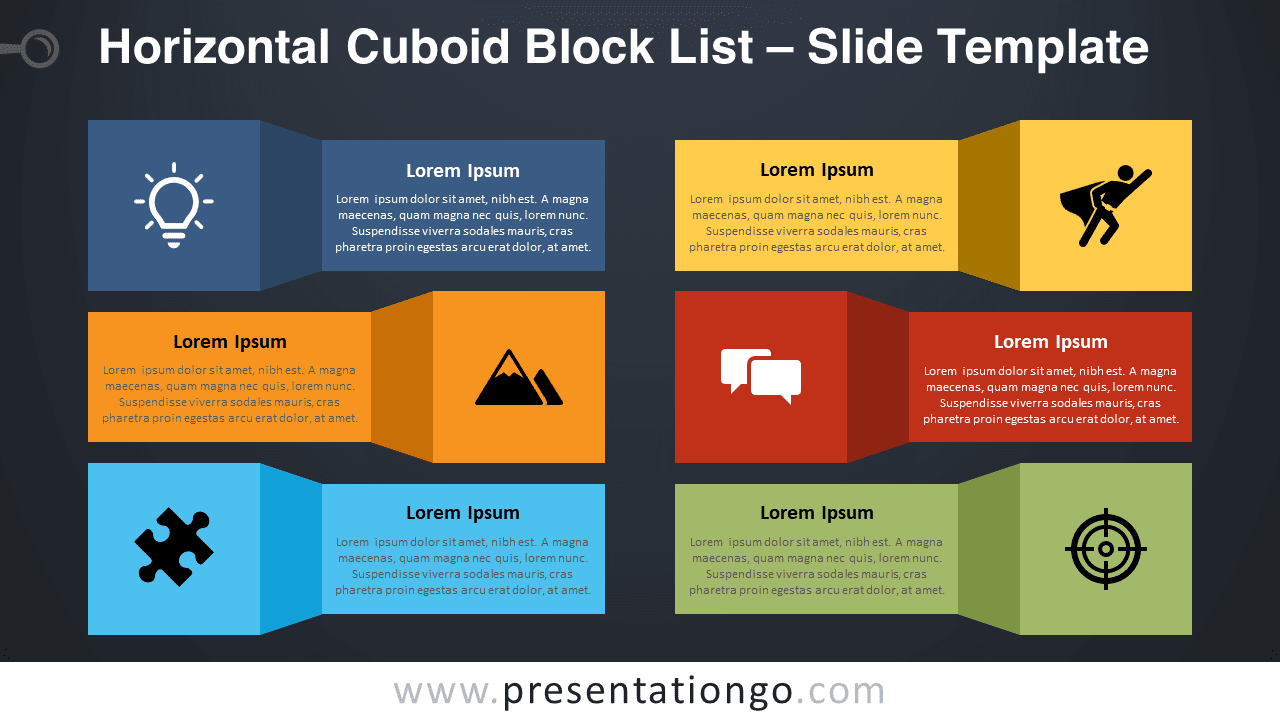


This ‘Horizontal Cuboid Block List’ template features:
- 2 unique slides
- Light and Dark layout
- Ready to use template with icons, and text placeholders
- Completely editable shapes
- Uses a selection of editable PowerPoint icons
- Standard (4:3) and Widescreen (16:9) aspect ratios
- PPTX file (PowerPoint) and for Google Slides
Free fonts used:
- Helvetica (System Font)
- Calibri (System Font)