The Five-Point Radial Star Diagram organizes five interconnected elements around a central concept, making it perfect for presenting cyclical processes and balanced frameworks in PowerPoint and Google Slides.
Present Five Interconnected Concepts Around a Core Idea
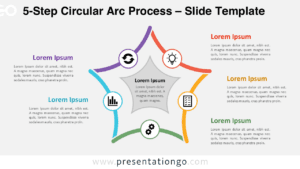
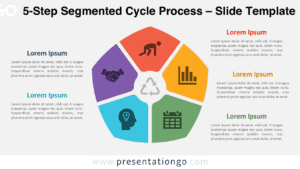
This diagram uses a clean radial layout with five wedge-shaped segments that radiate inward around a central white star. Each wedge remains distinct thanks to the white space that separates them. The centerpiece—the star—features an intentional empty space, creating a visual void that emphasizes the central idea. This negative space draws attention while inviting interpretation, allowing you to define the core concept, goal, or identity. Each wedge displays a simple line-style icon and uses a color that matches nearby text elements. These text blocks align symmetrically around the diagram—three on the left and two on the right. Bold headers and well-organized placeholder text establish a clear visual hierarchy.
Presenters often use radial diagrams like this one to illustrate balance and interconnected components. Here, the empty star in the center acts as a symbolic hub that anchors the five surrounding parts. This design suits various topics, including five-step strategies, team roles, or strategic drivers. For example, a company can display five capabilities that support its mission, or a project manager can show key focus areas around a central objective. The layout’s symmetry and generous spacing promote clarity, and the icons help direct attention between the core and its components.
The template offers two slide formats with pre-inserted icons and text placeholders. You can customize every part—from shapes to colors and icons. It includes both light and dark backgrounds and supports Standard (4:3) and Widescreen (16:9) layouts. Whether you use PowerPoint or Google Slides, the design works seamlessly across both.
Download this versatile template to effectively communicate five-step processes and balanced frameworks that revolve around central concepts.
Widescreen (16:9) size preview:


This template offers:
- 2 unique slides
- Options for both light and dark themes
- Pre-populated with icons and text placeholders
- Fully customizable shapes for complete control
- Available in both Standard (4:3) and Widescreen (16:9) ratios
- Offered in both PowerPoint PPTX and Google Slides formats