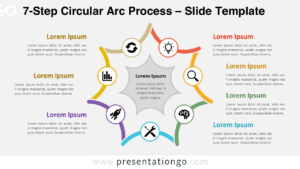
The Seven Stage Petal Infographic features seven interconnected translucent shapes arranged around a central circle, creating an effective visual structure for presenting related concepts or sequential processes in PowerPoint and Google Slides.
Explore How Seven Elements Connect Around a Core
This infographic uses a circular arrangement of seven translucent petals that radiate symmetrically from a central white circle. Each petal contains a number and encircles the center, forming a flower-like radial pattern. Corresponding text blocks with icons, headings, and descriptive text are strategically placed around the perimeter, ensuring readability and emphasizing individual components. The use of layering and soft opacity adds depth, while the symmetrical composition directs attention toward the core concept, making it ideal for presenting complex, interconnected information.
Radial diagrams and cycle diagrams are effective for displaying relationships that revolve around a central theme or flow in a loop. In this case, the Seven Stage Petal Infographic can function as both: it serves as a radial layout to represent how each outer idea connects back to a core concept and as a cycle diagram to illustrate an ongoing sequence. Use this in presentations on strategic goals, interdepartmental collaboration, product lifecycle stages, or any framework that involves multiple parts supporting a central vision. For instance, a business strategy presentation might assign each petal to a core pillar—such as innovation, finance, or operations—highlighting their mutual contribution.
This template includes two slides with pre-numbered petals and matching text placeholders. All visual elements, including shapes and colors, are fully customizable to suit your branding or message. It offers light and dark background options and is available in both Standard (4:3) and Widescreen (16:9) formats. Compatible with PowerPoint (.PPTX) and Google Slides, it offers flexibility across platforms.
Download this free Seven Stage Petal Infographic with 7 distinct sections to present multi-part frameworks in a unified visual format.
Widescreen (16:9) size preview:


This template offers:
- 2 unique slides
- Options for both light and dark themes
- Pre-populated with numbers and text placeholders
- Fully customizable shapes for complete control
- Available in both Standard (4:3) and Widescreen (16:9) ratios
- Offered in both PowerPoint PPTX and Google Slides formats