The 5-Step Abstract Iceberg Funnel helps you explain complex ideas with more depth. It combines a visible iceberg peak with five descending analytical layers, making it useful for root-cause analysis, strategy, risk assessment, and learning frameworks.
Diagram Preview
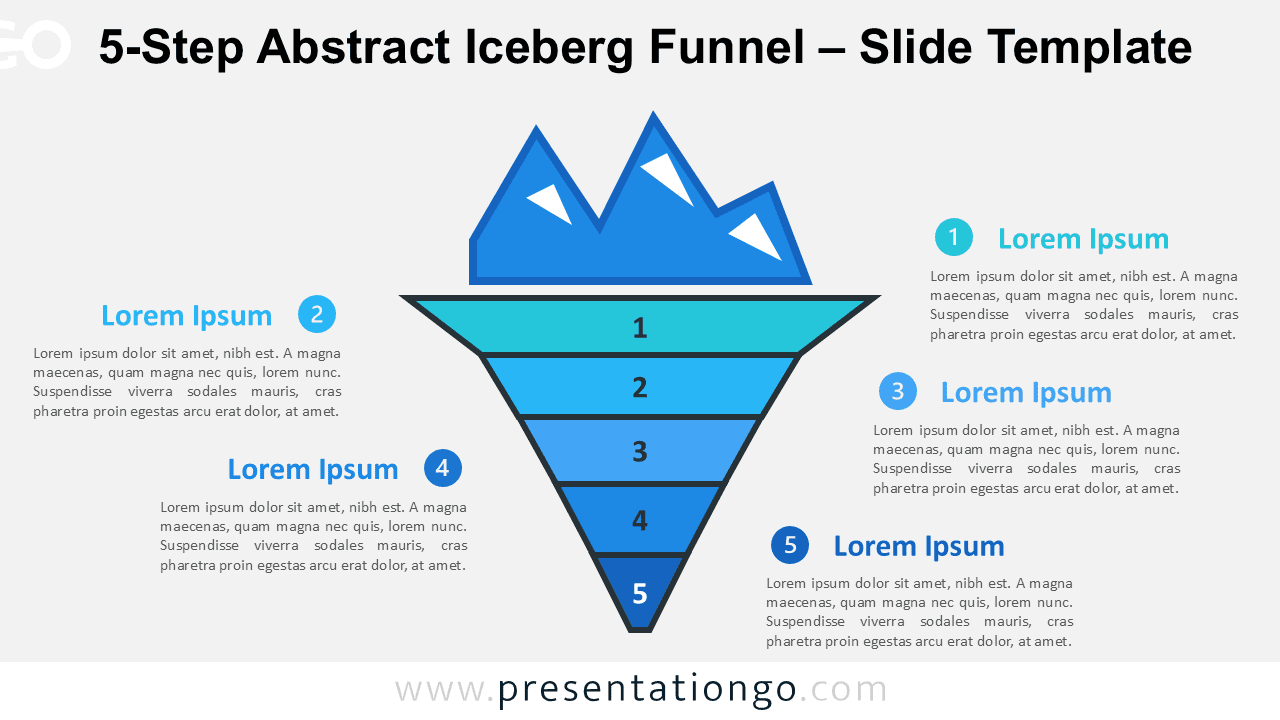


Diagram Features and Customization Options
- Editable 5-step iceberg funnel structure.
- Compatible with PowerPoint and Google Slides.
- Includes editable numbered icons from the Microsoft Office icon library.
- You can easily replace, recolor, resize, or modify the number icons.
- Uses a clean blue gradient hierarchy.
- Works with light and dark slide backgrounds.
- Easy to adapt with custom text, colors, and labels.
Design and Structure
This diagram uses an abstract iceberg as the main metaphor. The visible upper section suggests what people can see first, while the five funnel layers below the surface reveal deeper information. Each level can represent a cause, risk, stage, priority, or insight.
Side text blocks give enough space to explain each numbered point without cluttering the central visual. The blue palette creates a strong sense of depth, with cyan and sky blue tones near the top and darker blues guiding attention toward the lower levels.
The geometric layout keeps the slide clean and easy to read. You can edit the text, numbers, shapes, and colors to fit your message, brand, or presentation style.
Practical Applications
- Break down five root causes behind a visible issue.
- Explain hidden business risks or strategic challenges.
- Present layered learning concepts in training slides.
- Compare visible symptoms with deeper organizational factors.
- Structure consulting recommendations with five clear levels.
Summary
The 5-Step Abstract Iceberg Funnel gives presenters a clear visual structure for detailed analysis. Use it when your message needs more depth than a basic four-level framework.