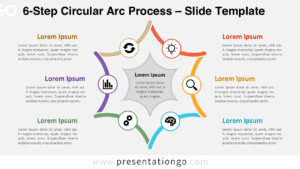
The 6-Part Hub-and-Spoke Diagram provides a centralized framework for presenting six interconnected elements around a core concept, designed for PowerPoint and Google Slides.
Centralized Visual Framework for Six Key Components
This visually symmetrical layout features a central black circle surrounded by six equally spaced colored circles, forming a hexagonal radial configuration. Each outer node connects to the center with a straight line, reinforcing the hub-and-spoke concept. The consistent size and subtle 3D or neumorphic style of the circles contribute to a clean and balanced look. The central black node serves as the visual focal point, while the outer nodes are ideal for labeling with text or icons.
Hub-and-spoke diagrams are widely used to illustrate centralized systems and highlight the relationship between a core concept and supporting components. This particular layout effectively conveys equal significance among categories while emphasizing a central idea. It’s ideal for showing core competencies supported by departments, team roles contributing to a main goal, or essential pillars of a strategic initiative.
The template includes two slides with editable shapes and randomly selected icons, which can be swapped with Office icons in one click. It’s available in standard and widescreen formats, with light and dark backgrounds, and fully customizable in PowerPoint and Google Slides.
Download this free six-part radial diagram to present interrelated components with clarity and visual alignment.
Widescreen (16:9) size preview:


This template offers:
- 2 unique slides
- Options for both light and dark themes
- Pre-populated with icons and text placeholders
- Fully customizable shapes for complete control
- Available in both Standard (4:3) and Widescreen (16:9) ratios
- Offered in both PowerPoint PPTX and Google Slides formats