
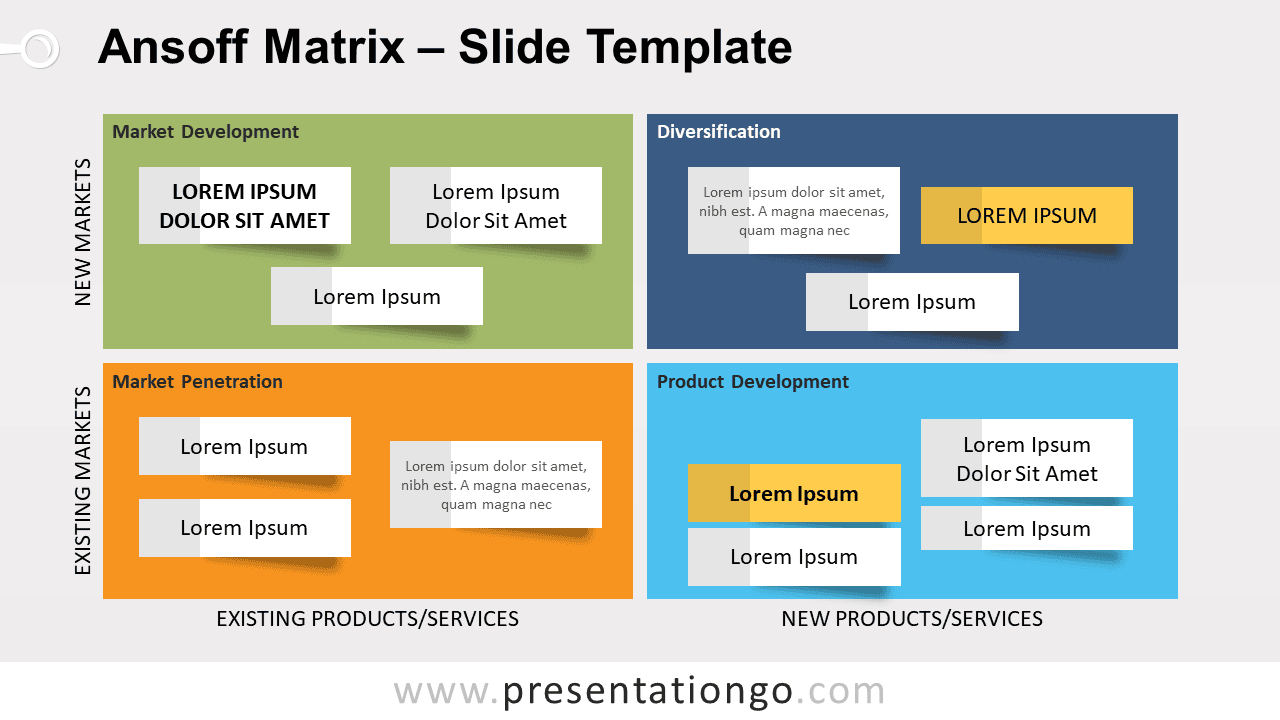
Free Ansoff Matrix template for PowerPoint and Google Slides. A ready-to-use product and market matrix for strategy planning. Editable graphics with customizable and positionable sticky labels.
A matrix to understand the strategies for growth
Igor Ansoff’s Growth Matrix is a marketing tool to look at growth strategies by analyzing markets and products. Basically, it helps a business to understand the business development and/or marketing strategy that it should use to enable growth.
The Matrix illustrates four strategies to grow the business. It also helps to analyze the risks associated with each one. These 4 strategies are:
- Market penetration, in the lower left quadrant, is the safest of the four options as there is an already existing clientele for the market. The focus is on increasing sales of your existing product in your existing market.
- Product development, in the lower right quadrant, is riskier because new products are introduced into the existing market.
- Market development, in the upper left quadrant. This quadrant is about expanding the business to an entirely new market. You can achieve this for example by finding a new use for the product, or by adding new features or benefits to it.
- Diversification, in the upper right quadrant, is the riskiest (and costly) strategy of the four options. Indeed, this strategy is about entering a new market with a completely new offering. But this is also the most rewarding strategy.
This Ansoff Matrix template can be used to graphically represent the results of the analysis with PowerPoint and Google Slides. Also, you can easily customize and place (drag and drop) the sticky note labels in the matrix.
Shapes are 100% editable: colors and sizes can be easily changed.
Includes 2 slide option designs: Standard (4:3) and Widescreen (16:9).
Widescreen (16:9) size preview:
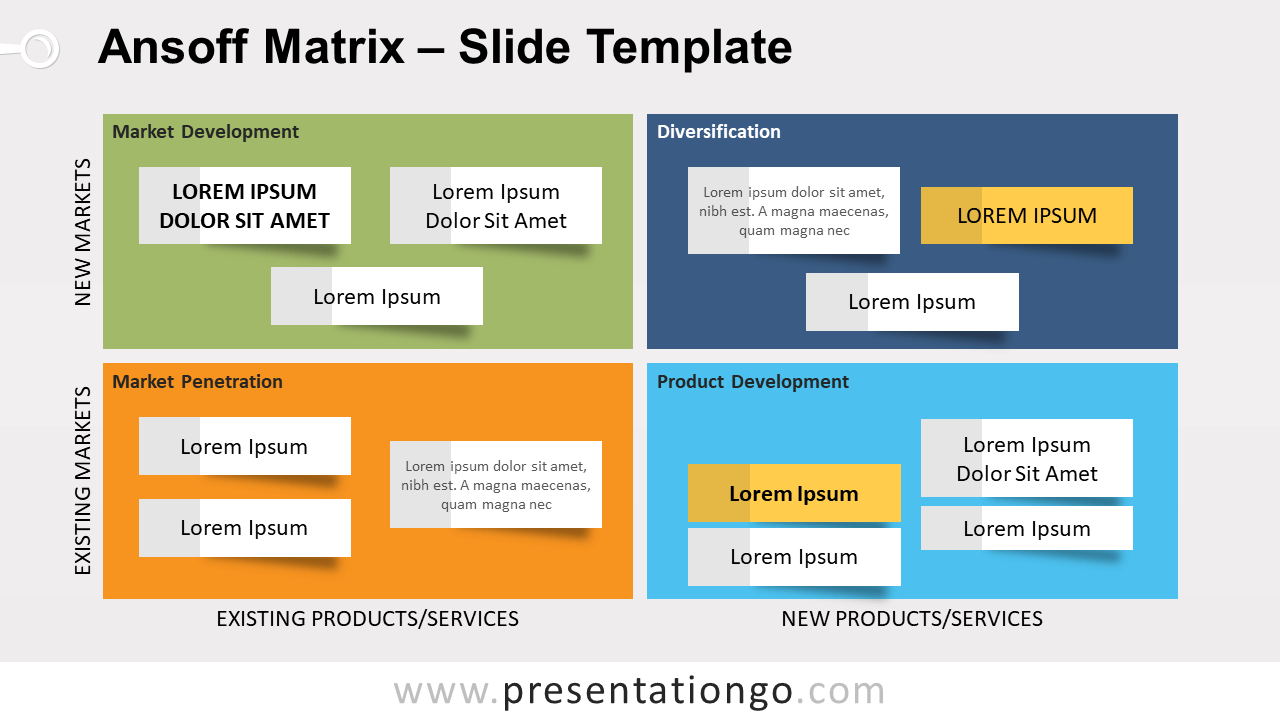


This ‘Ansoff Matrix Template for PowerPoint and Google Slides’ features:
- 2 unique slides
- Light and Dark layout
- Ready to use template with customizable and positionable sticky labels
- Completely editable shapes
- Standard (4:3) and Widescreen (16:9) aspect ratios
- PPTX file and for Google Slides
Free fonts used:
- Helvetica (System Font)
- Calibri (System Font)



