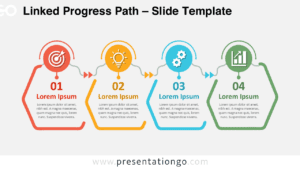
The Four-Step Connected Cards diagram organizes four sequential ideas into a structured horizontal flow for PowerPoint and Google Slides. Each stage combines a dedicated content card, heading, supporting text, icon placeholder, and directional connection.
Diagram Preview
The preview shows how the four cards work together as one continuous sequence while keeping every stage visually distinct. The repeated layout makes the progression easy to scan from the first point through the fourth.


Diagram Features and Customization Options
- Compatible with Microsoft PowerPoint and Google Slides
- Four-step process diagram with editable connected cards
- Editable text, shapes, sizes, and icon placeholders
- Icons shown are for illustration purposes only
- Editable connectors between each stage
- Includes both light and dark background versions
Design and Structure
The diagram uses four tall rounded cards arranged in a single horizontal row. Each card follows the same internal hierarchy. An icon placeholder occupies the upper area, followed by a prominent heading and a compact supporting text block. This repeated structure gives every stage equal visual weight while maintaining consistent spacing across the slide.
A projecting tab extends from the side of each card and points toward the next stage. These tabs create directional continuity without requiring separate arrows between the cards. Generous internal spacing keeps the content areas distinct, while rounded corners soften the modular structure. The consistent card dimensions also make the slide suitable for parallel concepts that need equal emphasis.
Practical Applications
- Map four phases of a project from initiation through completion
- Present a four-stage customer journey or service workflow
- Break a strategic initiative into four consecutive actions
- Explain a product development process across four milestones
- Outline four steps in an operational or implementation plan
- Structure a training sequence with four learning stages
- Show progress from an initial idea to a defined objective
Summary
The Four-Step Connected Cards diagram provides a compact framework for presenting four related stages in sequence. Its repeated card structure, directional tabs, editable content areas, and replaceable icon placeholders support business, planning, process, and workflow presentations in PowerPoint and Google Slides.