The Four-Step Connector Cards diagram provides a structured way to present four related stages in PowerPoint and Google Slides. Each stage occupies a numbered card, while curved connectors establish a continuous visual sequence. This editable infographic works for business processes, project workflows, and plans that require four distinct steps.
Diagram Preview
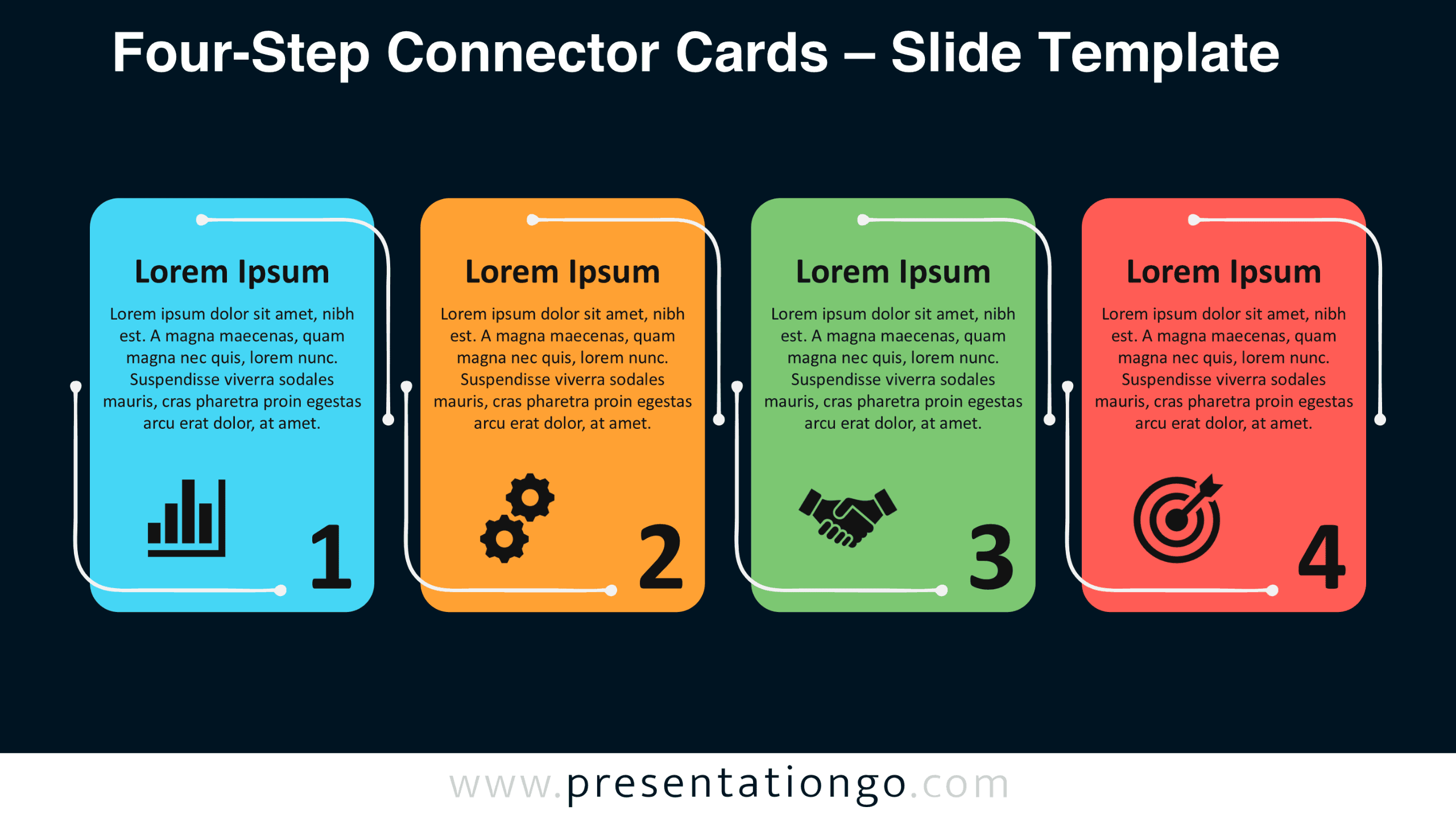
The preview shows four upright cards arranged horizontally, each with a heading, description, icon, and prominent step number. The design comes in two background versions to accommodate different presentation styles. Both versions preserve the same arrangement and visual hierarchy, making the layout consistent across presentation decks.


Features and Customization Options
- Compatible with PowerPoint and Google Slides — 16:9 widescreen
- Four-step process diagram with editable cards and connectors
- Editable text, shapes, and icon placeholders
- Adjustable card dimensions, spacing, and connector paths
- Office library icons are easily modifiable and shown for illustration purposes only
- Includes both light and dark background versions
Design and Structure
The diagram consists of four vertically oriented cards with rounded corners, positioned at equal intervals along a horizontal axis. Each card reserves its upper portion for a short heading and a centered description. An icon placeholder sits near the lower left corner, while a large numeral anchors the lower right. This arrangement separates explanatory information from visual symbols without dividing the card into additional sections.
Curved connector lines run around the card edges rather than crossing the content areas. Each line combines straight segments, rounded turns, and circular endpoints. The alternating entry and exit positions establish a repeating pattern between adjacent cards. Consistent card proportions, generous internal spacing, and aligned typography create a balanced composition. The complete arrangement follows a left-to-right reading order, with individual stages remaining visually self-contained.
Practical Applications
- Outline an onboarding program through preparation, orientation, training, and evaluation.
- Present a product launch through research, development, promotion, and release.
- Explain a sales pipeline from prospecting and qualification to negotiation and closing.
- Map a customer service procedure covering intake, assessment, resolution, and follow-up.
- Document a project approval cycle from submission through review, authorization, and implementation.
- Structure a quarterly action plan around objectives, assignments, delivery, and performance review.
- Illustrate a procurement workflow from supplier selection to ordering, receipt, and verification.
Summary
Four-Step Connector Cards combines numbered panels, curved connections, and dedicated content areas in a reusable presentation layout. Its consistent structure helps presenters organize four-part information without building a new arrangement for every topic. Download the diagram for PowerPoint or Google Slides, replace the sample content, and adapt the stages to your presentation.