The Neumorphic Eight-Part Wheel is a circular infographic featuring eight segments arranged in a radial layout, designed for PowerPoint and Google Slides presentations to showcase cyclical processes or interconnected concepts.
Eight-Step Circular Framework for Visualizing Connected Concepts
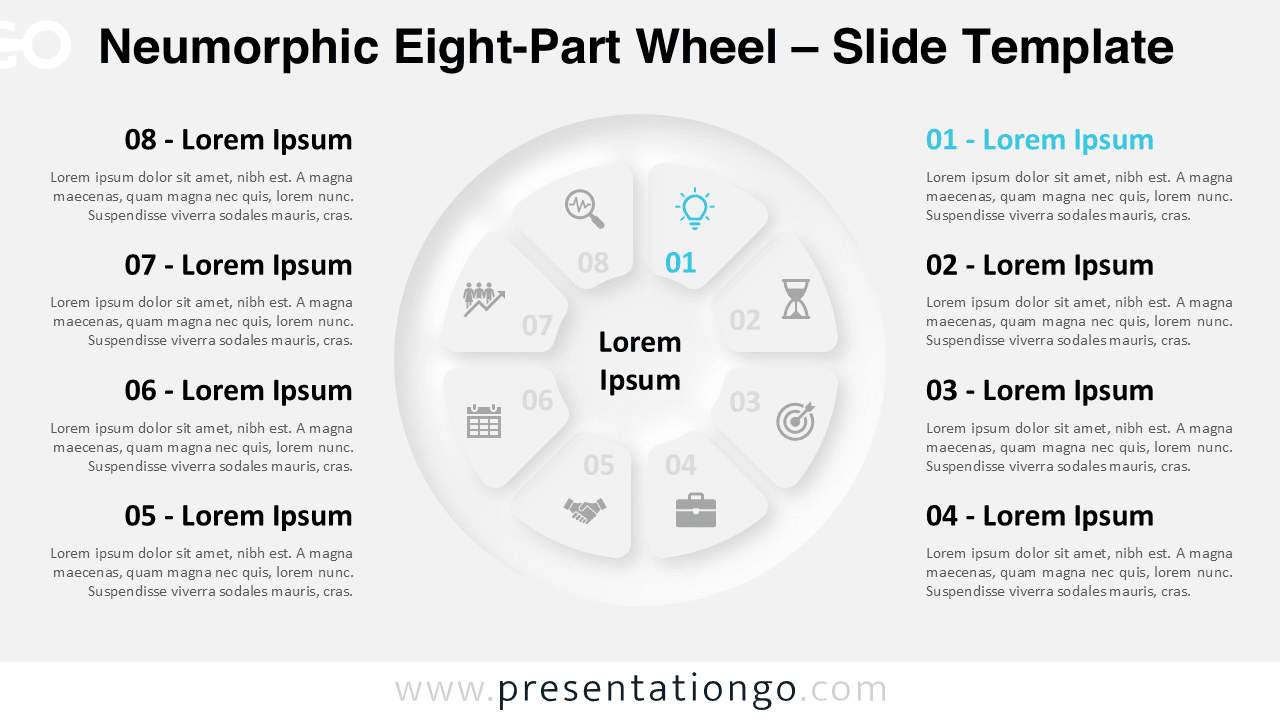
This template features a modern Neumorphic design that uses subtle shadows and soft gradients to create a tactile, semi-3D look. A circular infographic sits at the core, with eight triangular wedges branching outward. The designer numbered these wedges clockwise from 01 to 08. A central placeholder anchors the diagram, offering space to introduce a key idea or concept. Each surrounding icon and text box lines up symmetrically on both sides of the wheel, which maintains visual balance and enhances clarity. This circular setup works perfectly for presenting complex systems in a clear, compact visual format.
Presenters often rely on cycle diagrams to communicate repeatable processes, strategic frameworks, or multi-phase projects. The Neumorphic Eight-Part Wheel supports this by helping users explain workflows, business strategies, or learning models where every step holds equal weight. For instance, marketers can outline customer journeys step-by-step, while educators can show the progression of a curriculum. Numbered sections guide the audience through the content logically, and visual icons offer instant comprehension.
The template includes two slides—one with a light background and another with a dark one. Each wedge contains a preset icon and a matching placeholder for content. Users can customize every element, from shapes and colors to icons and text. This diagram comes in both Standard (4:3) and Widescreen (16:9) formats and works with PowerPoint (PPTX) and Google Slides.
Download this eight-part radial diagram to display cycles, balanced frameworks, or multi-stage processes in a clean, circular layout.
Widescreen (16:9) size preview:


This template offers:
- 2 unique slides
- Options for both light and dark themes
- Pre-populated with numbers, icons, and text placeholders
- Fully customizable shapes for complete control
- Available in both Standard (4:3) and Widescreen (16:9) ratios
- Offered in both PowerPoint PPTX and Google Slides formats