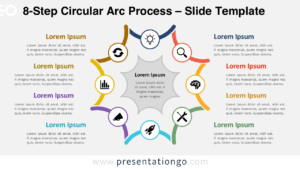
The Eight-Spoke Radial Diagram presents cyclical processes and interconnected frameworks through eight curved arms extending from a central hub, designed for PowerPoint and Google Slides presentations.
Showcase Eight Connected Concepts Using Circular Flow
This radial diagram features a distinctive semicircular architecture with eight tapering arms that curve outward from a central black hub. Each arm forms an elegant petal-like arc, culminating in segments that connect to external text blocks positioned strategically around the perimeter. The central circle serves as the focal anchor point, containing customizable icons and title placeholders that establish the core concept. The balanced layout places four text blocks on each side, maintaining visual symmetry while ensuring optimal readability. The curved lines create natural visual flow, guiding viewers’ attention from the central hub through each spoke to its corresponding explanation.
Semi-circular radial diagrams help presenters illustrate cyclical or interconnected systems. This template works well for presenting eight key concepts—such as strategy components, team functions, sustainability principles, or lifecycle phases. Since the design places all arms at equal distances from the center, it gives each element equal visual weight. Presenters can introduce each point in sequence, helping audiences understand how every part connects back to the core message. The sweeping curves and symmetrical layout make the diagram easy to follow and memorable in live presentations.
This template includes two distinct slides with a preset icon and text placeholders. You can edit all shapes, change colors, and swap icons from the built-in Office library. The file supports both standard (4:3) and widescreen (16:9) layouts and comes in light and dark themes. It works seamlessly in PowerPoint (PPTX) and Google Slides, ensuring smooth customization and compatibility.
Download this Eight-Spoke Radial Diagram to effectively communicate your eight-component processes and cyclical frameworks in professional presentations.
Widescreen (16:9) size preview:


This template offers:
- 2 unique slides
- Options for both light and dark themes
- Pre-populated with icon and text placeholders
- Fully customizable shapes for complete control
- Available in both Standard (4:3) and Widescreen (16:9) ratios
- Offered in both PowerPoint PPTX and Google Slides formats
The complete Spoke Radial Diagram collection: