
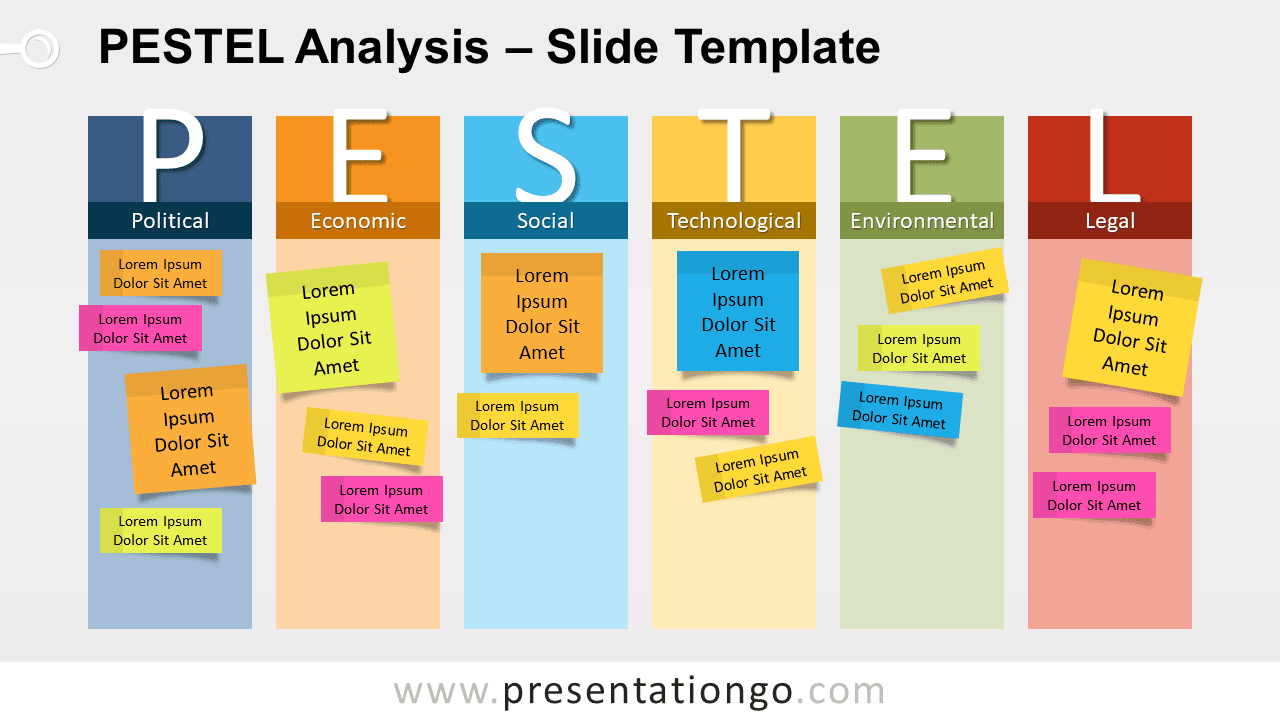
Free PESTEL analysis for PowerPoint and Google Slides. A template slide to help you audit and organize external influences on your business or on any project. Editable graphics with customizable and placeable colorful sticky notes.
PESTEL: a powerful complement to SWOT
The PESTEL analysis is an analytical tool for strategic business planning. More specifically, PESTEL (or PESTLE) is a method to identify and understand the external factors (or risks) that influence an organization. It refers to 6 factors: Political, Economic, Social, Technological, Environmental, and Legal.
- Political: tax policy, employment laws, environmental regulations, trade restrictions & reform, tariffs, political stability
- Economic: economic growth/decline, interest rates, exchange rates, inflation rate, wage rates, minimum wage, working hours, unemployment, credit availability, cost of living
- Social: cultural norms & expectations, health consciousness, population growth, age distribution, career attitudes, emphasis on safety, global warming
- Technological: new technologies, rate of change
- Environmental: ecological issues, environmental issues, economic or social factors
- Legal: changes to legislation, employment, access to materials, quotas, resources, imports/exports
The PESTEL analysis is actually a complementary tool to the SWOT analysis. As a matter of fact, the external factors can be classified as Opportunities and Threats in the SWOT analysis.
This PESTEL analysis template will help you identify and organize external influences on your business or on any project. Specifically, this template clearly organizes all of the 6 factors into 6 vertical parts. Brainstorm with your team and list all the key issues that are outside your (organization’s) control.
Additionally, you can customize the colorful sticky note elements and place them in their corresponding category. Remember this rule when using sticky notes: write only one idea on each!
Shapes are 100% editable: colors and sizes can be easily changed.
Includes 2 slide option designs: Standard (4:3) and Widescreen (16:9).
Widescreen (16:9) size preview:


This ‘PESTEL Analysis for PowerPoint and Google Slides’ features:
- 2 unique slides
- Light and Dark layout
- Ready to use template with icons and text placeholders
- Completely editable shapes
- Uses a selection of editable PowerPoint icons
- Standard (4:3) and Widescreen (16:9) aspect ratios
- PPTX file and for Google Slides
Free fonts used:
- Helvetica (System Font)
- Calibri (System Font)



