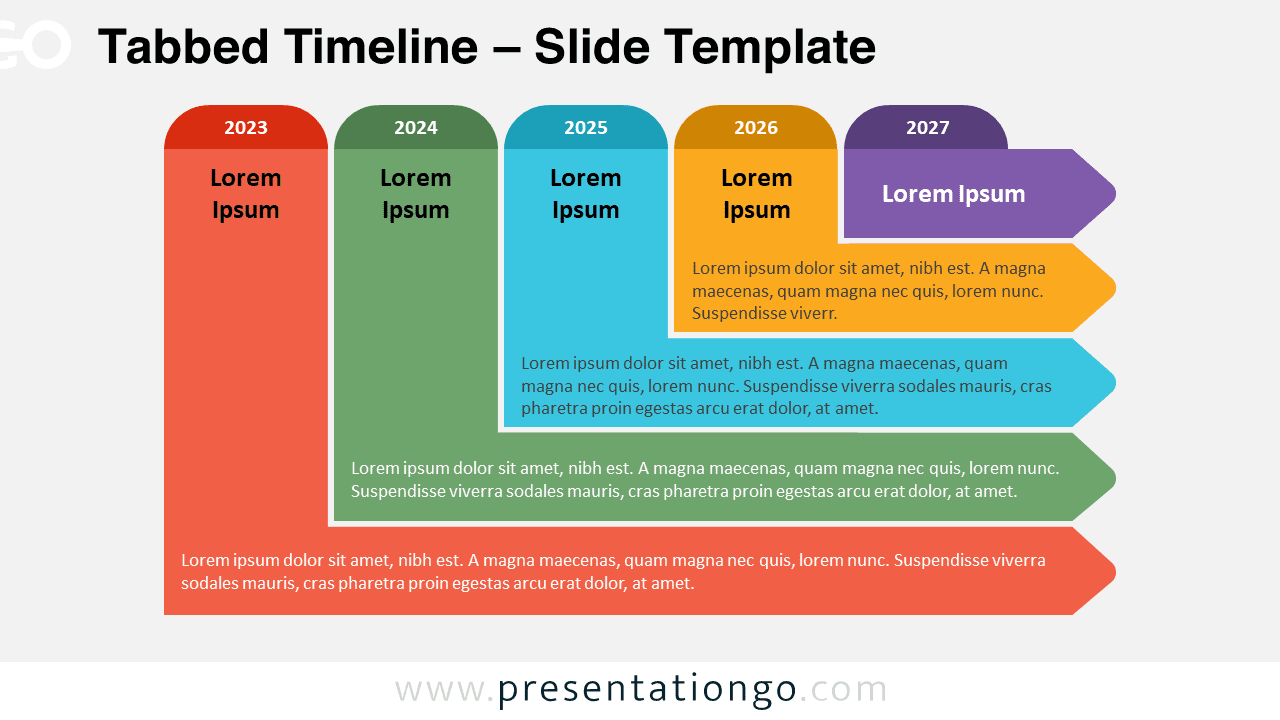
The Tabbed Timeline template for PowerPoint and Google Slides features a structured, five-stage layout with L-shaped tabs that clearly separate and organize chronological events or milestones.
Sequential L-Shaped Tabs for Chronological Event Visualization
Timeline diagrams help visualize chronological events, milestones, or stages, making complex information easier to understand. This timeline template features five distinct L-shaped tabs arranged horizontally, each representing a specific stage. Vertical lines separate the tabs, creating a structured flow. Each tab displays a number for sequence, a title summarizing the main idea, and space for descriptive text to provide context.
This presentation template is ideal for professionals, educators, and students who need to present project timelines, historical events, or sequential information clearly and engagingly. Using the Tabbed Timeline, you can effectively communicate your subject’s progression, highlighting key points to ensure your audience can follow along. The clean and organized design allows you to focus on delivering your message while the visual elements enhance comprehension.
The presentation document includes two unique slides, pre-populated with dates and text placeholders. Users can fully customize shapes, dates, and text to fit their specific needs. The template is available in light and dark themes and comes in both Standard (4:3) and Widescreen (16:9) ratios. Offered in both PowerPoint PPTX and Google Slides formats, this template ensures versatility and ease of use.
Download the Tabbed Timeline template today and create professional, visually appealing timelines that effectively communicate your message and leave a lasting impact on your audience.
Widescreen (16:9) size preview:


This template offers:
- 2 unique slides
- Options for both light and dark themes
- Pre-populated with numbers, icons, and text placeholders
- Fully customizable shapes for complete control
- Available in both Standard (4:3) and Widescreen (16:9) ratios
- Offered in both PowerPoint PPTX and Google Slides formats