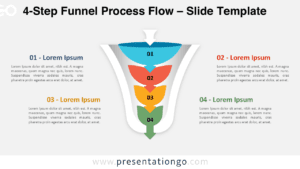
The Two-Sided Funnel (2 or 4 Options) diagram presents a symmetrical, horizontally-oriented visualization with either 2 or 4 total options flowing toward a central point, designed specifically for PowerPoint and Google Slides.
A Symmetrical Funnel Diagram for Effective Comparisons
This distinctive diagram features a horizontally-oriented funnel that expands outward on both sides while narrowing toward the center, creating a balanced visual representation of converging ideas. The symmetrical design includes two options per side, with the outermost sections widest to represent broad concepts, gradually narrowing as they approach the center where both sides converge at a focal point.
Funnel diagrams are widely used in business, marketing, decision-making, and problem-solving presentations. This specific design is useful for comparing two opposing perspectives, evaluating choices, or illustrating a structured thought process. For example, it can highlight pros and cons, contrast two strategic approaches, or outline a step-by-step transition from broad to specific insights.
The template includes two unique slides with pre-set icons and text placeholders. Shapes are fully customizable, allowing users to adjust colors and replace icons from the Office icon library. It is available in both Standard (4:3) and Widescreen (16:9) formats, with light and dark background options. This ensures flexibility for different presentation styles and themes.
Download the Two-Sided Funnel (2 or 4 Options) template today and simplify complex comparisons or decision-making processes in your next presentation.
Widescreen (16:9) size preview:


This template offers:
- 2 unique slides
- Options for both light and dark themes
- Pre-populated with icons and text placeholders
- Fully customizable shapes for complete control
- Available in both Standard (4:3) and Widescreen (16:9) ratios
- Offered in both PowerPoint PPTX and Google Slides formats