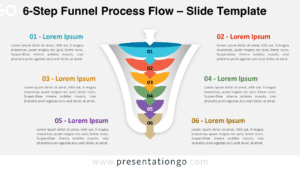
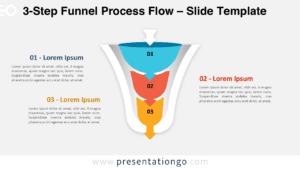
The Two-Sided Funnel (3 or 6 Options) visually represents a symmetrical decision-making or comparison process with three options on each side, available for PowerPoint and Google Slides.
Compare Alternative Approaches with a Mirrored Decision Funnel
At both ends, wide sections illustrate broad concepts, progressively narrowing toward the center where both sides merge. Each section includes icons to reinforce meaning, while text placeholders allow customization. The clean layout and mirrored design make it effective for contrasting ideas, refining processes, or visualizing integration points.
Presenters often use funnel diagrams to compare multiple perspectives, filter ideas, or present structured decision-making steps. This template is ideal for business strategies, marketing segmentation, or any scenario requiring clear contrast between two sets of information. For example, it can highlight the pros and cons of a strategy, compare customer segments, or showcase opposing viewpoints leading to a unified conclusion.
This template includes two fully editable slides pre-populated with icons and text placeholders. Shapes can be resized or recolored, and both light and dark background options are available. It is designed in Standard (4:3) and Widescreen (16:9) formats, compatible with PowerPoint PPTX and Google Slides.
Download this Two-Sided Funnel (3 or 6 Options) diagram to illustrate comparisons, refine decisions, or visualize structured processes in your presentations.
Widescreen (16:9) size preview:


This template offers:
- 2 unique slides
- Options for both light and dark themes
- Pre-populated with icons and text placeholders
- Fully customizable shapes for complete control
- Available in both Standard (4:3) and Widescreen (16:9) ratios
- Offered in both PowerPoint PPTX and Google Slides formats