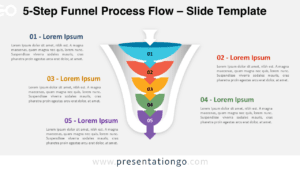
Free editable curved PowerPoint funnel diagram. 5 level gray funnel. Horizontal with variations of gray banners to indicate each level.
When to use the 5 level gray funnel diagram?
The funnel is commonly used in marketing to illustrate distinct conversion phases: from the broadest to the narrowest part of the funnel. For example the purchase funnel diagram is used to show the customer journey from the moment of first contact with the brand to the ultimate goal of a purchase, and ultimately the advocacy:
- Awareness – Getting potential customers to know that your company exists.
- Consideration – Getting them to consider your purchase options.
- Preference – Getting them to prefer your product over others.
- Action – Making the final decision to buy.
- Loyalty – Keeping the customer in your fold.
- Advocacy – Customers refer your business to others.
How to customize the editable 5 level gray funnel?
- Select the shape
- Right-click
- Group>Ungroup
- Then you can select and edit all the parts of the PPT funnel
This ‘5 level gray funnel diagram’ template features:
- 1 unique slide
- Ready to use template with text placeholder
- Completely editable shapes
- Standard (4:3) and Widescreen (16:9) aspect ratios
- PPTX file (PowerPoint)
Free font used:
- Calibri (System Font)