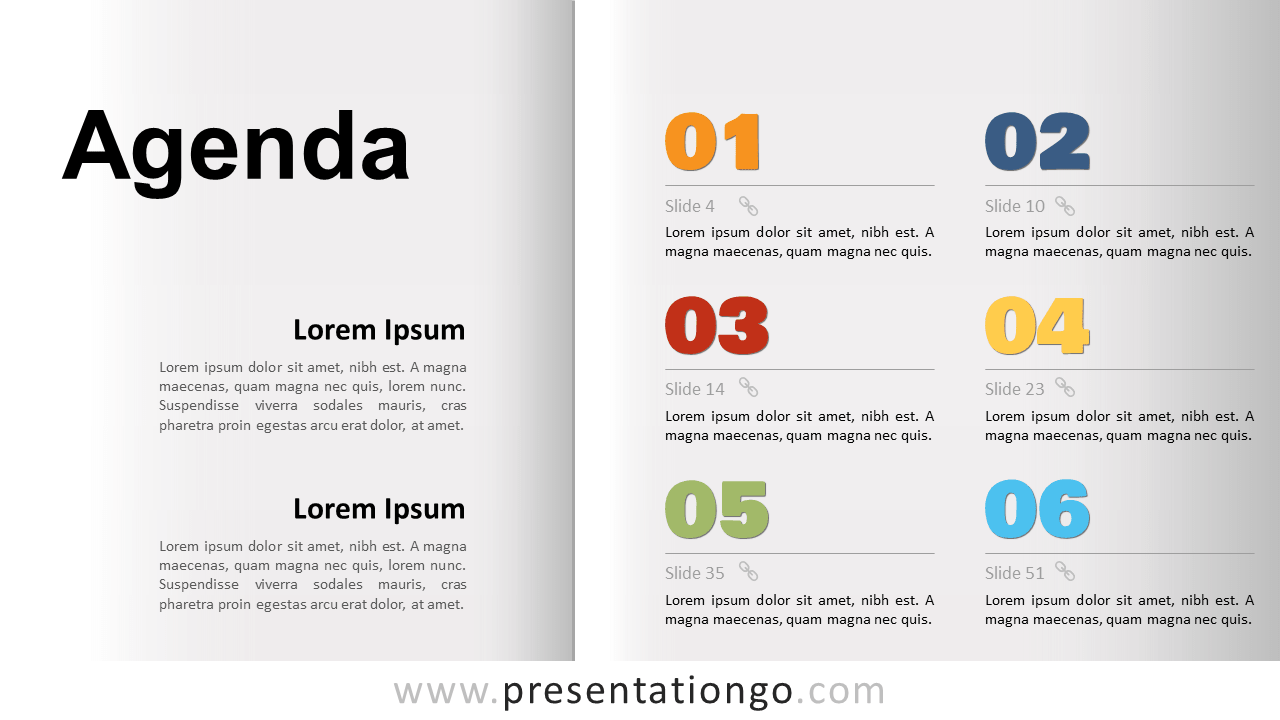
Free agenda template for PowerPoint and Google Slides. Template slide for your agenda or table of contents. Double-page effect. 100% editable graphics.
Agenda Template
This agenda template is a nice alternative to the classic traditional list that you probably use for your agenda or contents.
The double-page effect efficiently organizes your slide: on the left goes your title and some summary text while the right side features your detailed agenda.
You can also link your slide pages using the chainlink icons (instructions to add a hyperlink to a slide can be found here). Just remove the icons if you don’t link your parts to your slides…
Shapes are 100% editable: colors and sizes can be easily changed. You can even remove on the front slide the double-page effect if you just want to stick with the agenda.
This layout features editable numbers (vector shapes), designed from Google’s Bowlby One SC font.
Includes 2 slide option designs: Standard (4:3) and Widescreen (16:9).
Widescreen (16:9) size preview:


This ‘Agenda Template for PowerPoint and Google Slides’ document features:
- 2 unique slides
- Light and Dark layout
- Ready to use template
- Completely editable shapes
- Standard (4:3) and Widescreen (16:9) aspect ratios
- PPTX file and for Google Slides
Free fonts used:
- Helvetica (System Font)
- Calibri (System Font)
- Numbers (vector shapes): Bowlby One SC (from Google)