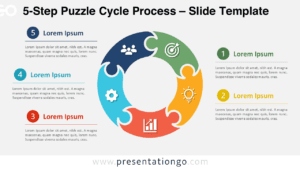
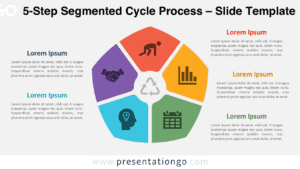
The 5-Stage Cycle Flow PowerPoint template provides a sophisticated yet simple way to visually map repeating sequences or circular flows in your presentations. With five customizable segments connected by arrows, this diagram template allows you to clearly lay out up to five stages, tasks, events or concepts that progress in a continuous loop. Use it to illustrate processes, lifecycles, workflows, and more.
Visualize Your 5-Phase Process in a Continuous Flow
This aesthetically balanced PowerPoint template features a circular diagram with five equally-sized segments, each represented by a separate shape and containing an icon placeholder. Arrows along the circle’s outer edge indicate the directional flow from one stage to the next. The clean, minimalist design provides plenty of space to add your own descriptive text next to each segment, customizing the diagram to suit your specific sequence or process. The unified color scheme and proportions give presentations a polished, professional look.
The 5-Stage Cycle Flow diagram can clarify multifaceted processes like product development cycles, decision-making frameworks, project milestone sequences, quality control systems, and more. Sales teams may find it useful for mapping the customer journey to demonstrate pain points. Human Resource departments could depict talent acquisition workflows from recruitment through onboarding. Healthcare organizations might explain clinical protocol steps or the patient care timeline. This versatile template saves time while lending presentations visual appeal.
This presentation template includes 2 unique slides with options for both light and dark color themes. The slides come pre-populated with text and icon placeholders that are fully customizable, allowing for complete control over the diagram’s shapes and contents. It is available in both Standard 4:3 and Widescreen 16:9 ratios, offered in easy-to-edit PowerPoint PPTX and Google Slides formats.
With its simple yet sophisticated circular diagram design, the 5-Stage Cycle Flow PowerPoint template clearly conveys repeating sequences and processes to audiences. This versatile presentation visual allows customization of up to five stages, making it easy for professionals to map out workflows, project plans, system steps and more. Use this template to visually clarify complex circular flows with polish and professionalism.
Widescreen (16:9) size preview:


This ‘5-Stage Cycle Flow’ template offers:
- 2 unique slides
- Options for both light and dark themes
- Pre-populated with icons and text placeholders
- Fully customizable shapes for complete control
- Available in both Standard (4:3) and Widescreen (16:9) ratios
- Offered in both PowerPoint PPTX and Google Slides formats
The complete Cycle Flow collection: