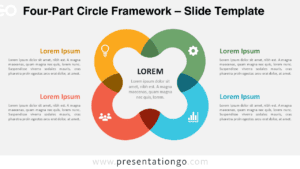
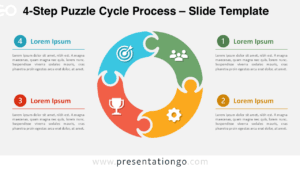
The Quadrant Focus Diagram seamlessly illustrates four interdependent steps or stages, making it ideal for showcasing processes or strategies in PowerPoint and Google Slides.
Four-Part Diverging Pathway for Process Visualization
This diagram is designed around a central cycle, where four looping arrows converge toward the center, symbolizing flow and connection. Each arrow represents one of the four quadrants, providing a logical and visual structure for presenting interrelated ideas. The diagram includes distinct sections with placeholders for titles and text, ensuring clarity and adaptability for your content. Icons further enhance the diagram by aligning visual cues with each segment, promoting effortless comprehension and engagement.
Cycle diagrams with converging arrows excel at showcasing interconnected processes and strategic planning. They transform abstract concepts into clear visual narratives. Presenters can effectively communicate business cycles, project phases, organizational structures, or strategic frameworks.
The presentation package includes two meticulously crafted slides with thoughtful icon selection and placeholder text. Users gain access to fully editable shapes for precise customization. Additionally, it offers options for both light and dark themes, as well as standard (4:3) and widescreen (16:9) layouts. It is available in PowerPoint PPTX and Google Slides formats, ensuring compatibility and convenience.
Download this four-step Quadrant Focus Diagram today to present your interconnected concepts clearly and cohesively.
Widescreen (16:9) size preview:


This template offers:
- 2 unique slides
- Options for both light and dark themes
- Pre-populated with icons and text placeholders
- Fully customizable shapes for complete control
- Available in both Standard (4:3) and Widescreen (16:9) ratios
- Offered in both PowerPoint PPTX and Google Slides formats