
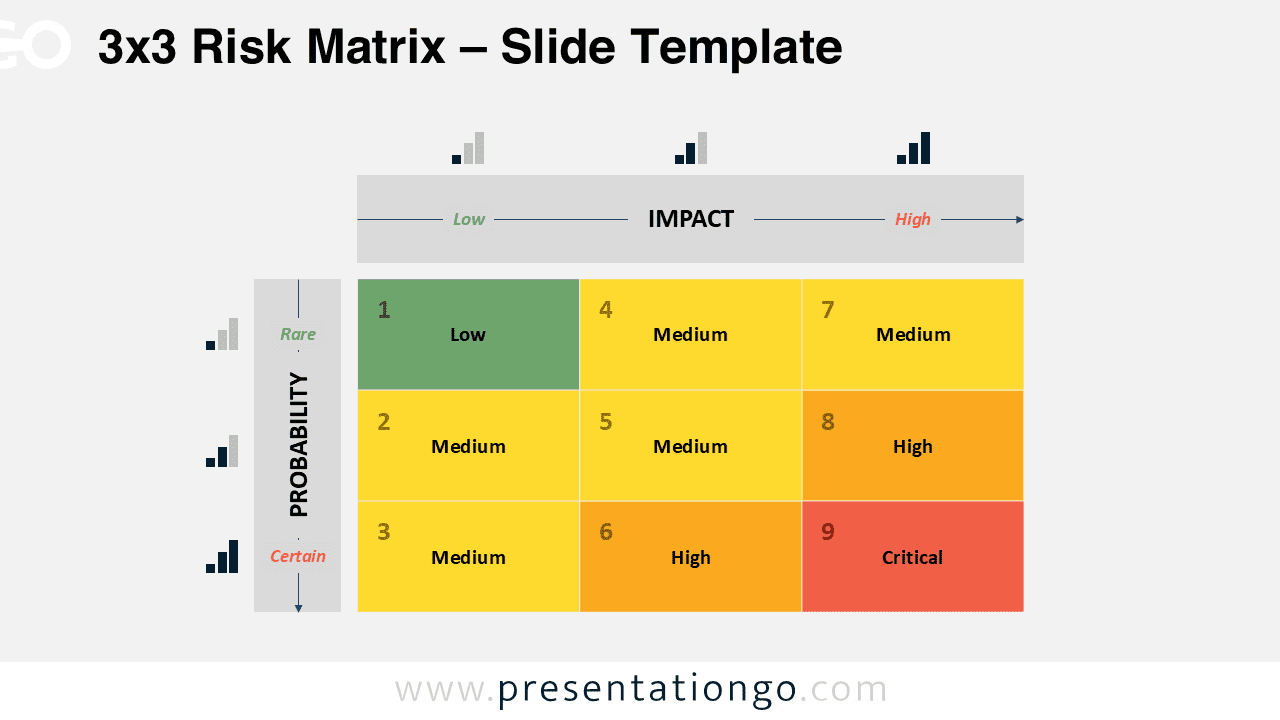
The Risk Matrix template provides a comprehensive set of 3×3, 4×4, and 5×5 matrices designed for PowerPoint and Google Slides to help visualize and communicate risk assessment effectively.
Visual Frameworks for Mapping Risk Probability and Impact
This template set includes three grid-based risk matrices built with PowerPoint’s table function and designed for clarity and flexibility. Each matrix uses a progressive color scheme—from green (Low risk) to red (Critical)—with clear numeric indicators and risk-level labels. Axes are marked with directional arrows, accompanied by intuitive visual icons that guide the viewer across probability and impact gradients. The slides are available in light and dark background variations for easy visual adaptation.
A Risk Matrix is a critical decision-making asset that supports risk assessment by comparing the probability of an event with its potential impact. For instance, project managers may use the 3×3 version in quick stand-ups to communicate core project risks. Meanwhile, a compliance officer could utilize the 4×4 layout during internal audits to outline medium-risk exposures. The 5×5 version is especially effective in boardroom discussions or strategic workshops—where detailed, scenario-based analysis is key to evaluating project portfolios or operational vulnerabilities. In each context, the matrix helps presenters rank risks, clarify urgency, and align teams on mitigation priorities.
This template includes six slides: three unique Risk Matrices, each offered in both light and dark themes. Built entirely with PowerPoint tables, the design is fully editable, allowing users to modify risk categories, colors, and text with ease. It is available in both 4:3 and 16:9 aspect ratios and fully compatible with Google Slides and PowerPoint (PPTX format).
Download this set of three matrix layouts to clearly define and communicate risk across all levels of analysis.
Widescreen (16:9) size preview:


This template offers:
- 6 unique slides
- Designed with the Table function for easy editing
- Available in both Standard (4:3) and Widescreen (16:9) ratios
- Offered in both PowerPoint PPTX and Google Slides formats



