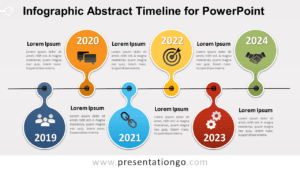
The Staggered Path Timeline diagram features a 6-step chronological layout, ideal for showcasing milestones and key events in PowerPoint and Google Slides.
Customize and Present Key Events
This diagram alternates events between left and right alignments, connected by horizontal and vertical black lines. Each milestone is color-coded with vibrant hues, and includes placeholders for titles, descriptions, and icons representing various themes. The timeline’s layout ensures an easy-to-follow visual flow, making it an efficient tool for presenting information clearly.
Timelines serve diverse presentation needs, such as visualizing corporate milestones, historical events, or project progress. This specific 6-step staggered layout is especially helpful for presenting complex narratives, such as a company’s growth journey or a roadmap for the future. The editable nature allows you to customize colors, icons, and text to suit your narrative and enhance audience engagement.
This template includes two fully editable slides, complete with text placeholders and Office icons. It is available in both light and dark themes and supports Standard (4:3) and Widescreen (16:9) layouts. Formats include PowerPoint (PPTX) and Google Slides.
Download this Staggered Path Timeline diagram today and enjoy its 6-step structure for creating clear, chronological presentations.
Widescreen (16:9) size preview:


This template offers:
- 2 unique slides
- Options for both light and dark themes
- Pre-populated with icons and text placeholders
- Fully customizable shapes for complete control
- Available in both Standard (4:3) and Widescreen (16:9) ratios
- Offered in both PowerPoint PPTX and Google Slides formats