The Strategic Lighthouse Analogy helps you explain direction, focus, and guidance through a clear visual metaphor. This editable diagram works well for PowerPoint and Google Slides presentations that need a memorable way to discuss strategy, leadership, or transformation. The lighthouse represents guidance, while the beam suggests clarity, alignment, and forward movement.
Diagram Preview
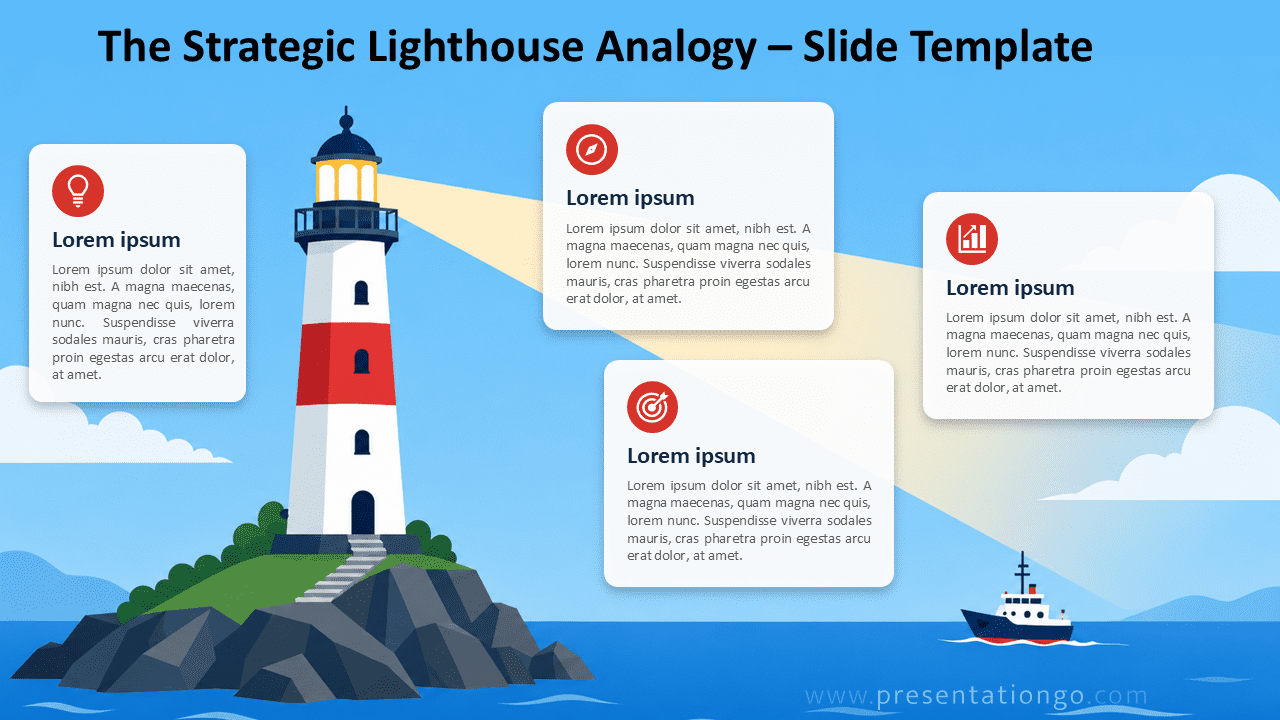
Diagram Features and Customization Options
- Lighthouse analogy diagram for PowerPoint and Google Slides.
- Four text cards for key points, priorities, stages, or recommendations.
- Icons from the Office icon library, easy to modify directly in PowerPoint.
- Editable icon placeholders that you can replace, resize, or adapt.
- Flexible layout for strategy, leadership, coaching, or planning topics.
- Clear visual metaphor that supports storytelling and audience engagement.
Design and Structure
This diagram places the lighthouse at the center of the story. The surrounding content cards create space for explanations, insights, or action points. Each card includes a heading area, a short paragraph area, and an icon placeholder. This structure helps presenters connect a strong metaphor with practical business content.
The Strategic Lighthouse Analogy also creates a natural reading path. Viewers first notice the lighthouse, then follow the beam across the slide. This movement supports messages about vision, guidance, navigation, and decision-making. You can use the layout to compare challenges, define direction, or highlight strategic priorities.
Practical Applications
- Explain a strategic vision or long-term direction.
- Present leadership guidance during change management.
- Show how teams can navigate uncertainty or risk.
- Frame coaching, mentoring, or advisory recommendations.
- Introduce project priorities, milestones, or decision criteria.
- Support storytelling in business, education, or consulting decks.
Summary
The Strategic Lighthouse Analogy gives presenters a simple way to turn abstract strategy into a visual story. It combines a recognizable metaphor with editable text areas and icon placeholders. Use it to clarify direction, guide discussions, and help audiences understand the path ahead.