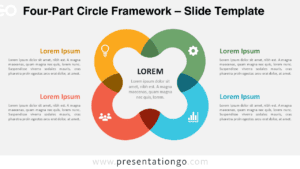
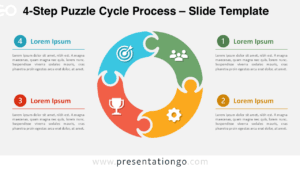
The 4-Circle Venn Diagram presents four interconnected elements with comprehensive overlapping zones, featuring 11 distinct intersection areas designed for PowerPoint and Google Slides presentations.
Analyze Overlaps and Commonalities with 4 Key Areas
This template showcases a symmetrical Venn diagram with four equal-sized circles arranged in a cross-shaped layout. Each circle represents a category, and where they overlap, they create a total of 11 regions. These include all pairwise overlaps, each possible trio, and one central intersection where all four circles meet. Every main zone is distinctly marked with a small, relevant icon to aid understanding. Around the diagram, text placeholders are positioned for labeling each primary category. The diagram’s clean geometry and icon support make it both clear and informative.
Venn diagrams serve as a useful metaphor for illustrating conceptual overlaps, such as shared goals, collaborative efforts, or intersecting competencies. This four-circle layout enhances that value by allowing users to map out every combination of relationships—from individual distinctions to full integration. For example, teams working on multi-departmental projects can use it to clarify shared objectives or dual responsibilities. Similarly, strategic planners might illustrate how four different business functions converge around a central value proposition. It simplifies the presentation of layered connections in one unified view.
The downloadable template consists of two fully editable slides—one for light backgrounds and one for dark. The diagram includes placeholder text and a set of editable icons that can be swapped for alternative symbols or numbers. All shapes and colors are customizable, giving users complete control over the visual presentation. Available in both Standard (4:3) and Widescreen (16:9) formats, this diagram works seamlessly in both PowerPoint PPTX and Google Slides.
Download this 4-part Venn diagram to explore and communicate all relationship combinations across four interconnected themes or categories.
Widescreen (16:9) size preview:


This template offers:
- 2 unique slides
- Options for both light and dark themes
- Pre-populated with icons and text placeholders
- Fully customizable shapes for complete control
- Available in both Standard (4:3) and Widescreen (16:9) ratios
- Offered in both PowerPoint PPTX and Google Slides formats