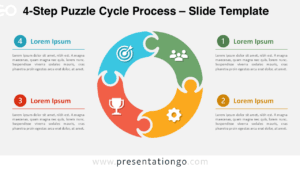
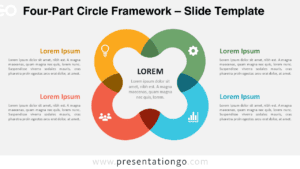
The Connected Puzzle Pieces diagram illustrates how separate ideas, tasks, or business components fit together. Its four interlocking puzzle pieces form two distinct pairs, each supported by a dedicated text area. Available for PowerPoint and Google Slides, this editable graphic helps presenters explain relationships between complementary elements.
Diagram Preview
The preview shows two versions of the Connected Puzzle Pieces diagram, each using the same arrangement of puzzle shapes and descriptions. Both versions preserve the layout and spacing, allowing you to choose the presentation format that suits your slides.


Features and Customization Options
- Compatible with Microsoft PowerPoint and Google Slides
- 16:9 widescreen format
- Two-row diagram with four interlocking puzzle pieces
- Editable text, shapes, and icon placeholders
- Office library icons shown for illustration purposes only and easily modifiable
- 100% editable vector shapes — no quality loss when resized
- Includes both light and dark background versions
Design and Structure
The diagram organizes four puzzle pieces into two horizontal rows, with two connected pieces at the center of each row. Each piece features a protruding tab and a matching cutout, reinforcing the connection between neighboring elements. Thin gaps separate the shapes while preserving their interlocking appearance. Rounded rectangular panels extend outward from both sides of each pair. These panels provide individual spaces for headings and short explanations. The arrangement creates a symmetrical composition with consistent alignment across both rows.
Each puzzle piece contains an illustrative symbol representing a different concept. The upper pair displays a light bulb and an ascending chart, while the lower pair features a gear and a group of people. These symbols suggest ideas, growth, operations, and collaboration. Four text panels accompany the puzzle pieces, with bold headings above supporting paragraphs. The central shapes serve as visual markers, while the surrounding panels carry the detailed information. This separation helps readers associate each symbol with its corresponding explanation.
Practical Applications
- Connect product development ideas with measurable growth objectives.
- Pair operational improvements with team responsibilities during project reviews.
- Explain how marketing activities support specific sales outcomes.
- Map four complementary components of a business strategy.
- Compare two sets of linked objectives during planning workshops.
- Illustrate how departments contribute to shared project deliverables.
- Present relationships between innovation, performance, execution, and collaboration.
Summary
The Connected Puzzle Pieces diagram brings four related concepts into a structured visual arrangement. Its paired puzzle shapes, illustrative symbols, and supporting text panels offer a practical framework for explaining connections. Customize the elements in PowerPoint or Google Slides to match your subject and presentation needs.