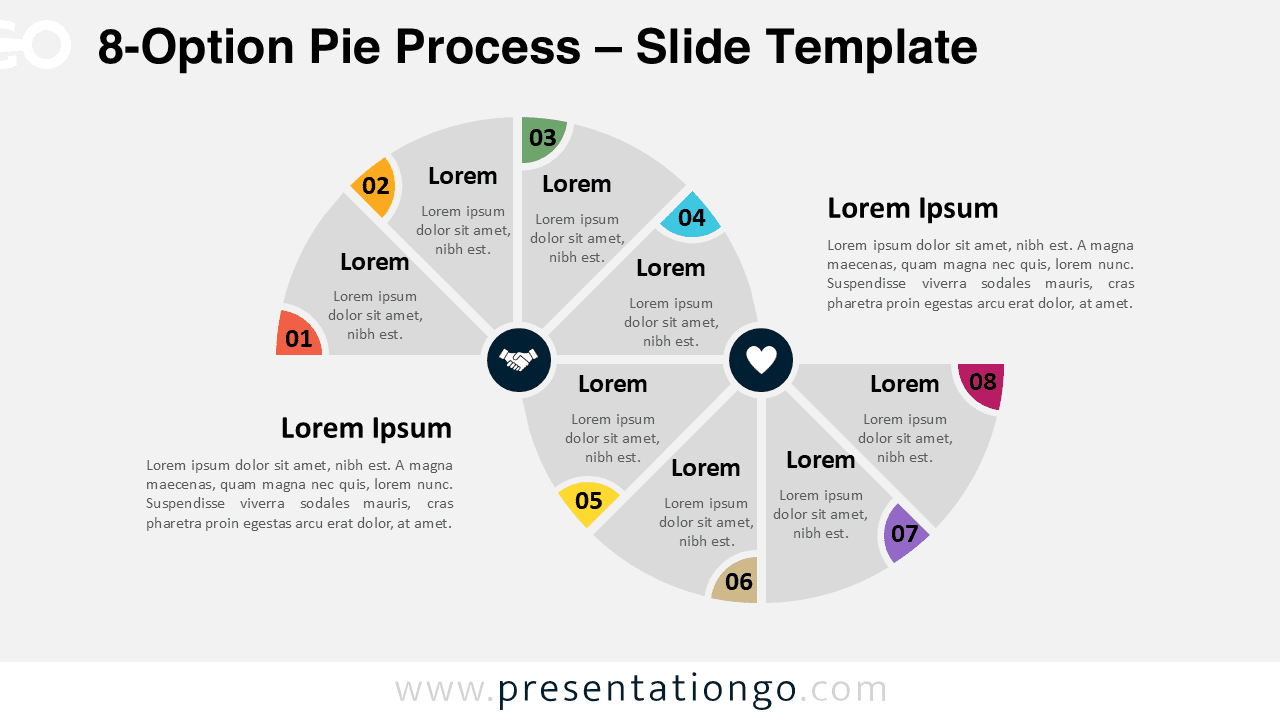
The 8-Option Pie Process is a distinctive diagram that illustrates an eight-step sequence through alternating semi pie charts, designed specifically for PowerPoint and Google Slides presentations.
Serpentine Flow Design with Alternating Semi Pie Charts
This diagram presents a serpentine layout made of two opposing semi pie charts. The top left chart displays four upward-facing segments, while the bottom right chart flips the layout with four downward-facing segments. These connected shapes create a distinct zigzag flow that alternates direction with each step.
Each segment features a number and an icon placeholder. Users can represent each option visually and add context with customizable text boxes. The alternating layout not only makes each stage easy to identify but also adds motion to the sequence. As a result, viewers can follow the flow without losing focus.
Presenters often rely on process diagrams to explain workflows, compare strategies, or illustrate sequential steps. This 8-step alternating pie process simplifies that task by using symmetry and movement to organize complex information.
Business professionals might use the top and bottom arcs to show contrasting processes, such as benefits versus risks or current versus future states. Educators could present two viewpoints in a debate or highlight changes over time in a scientific cycle. The alternating directions offer a natural way to show comparisons, branching decisions, or mirrored actions.
The download includes two slide layouts, each ready with icons, numbers, and text placeholders. Users can easily customize the shapes, colors, and content using built-in editing tools. The template supports both Standard (4:3) and Widescreen (16:9) formats and adapts to light or dark backgrounds. Whether working in PowerPoint (PPTX) or Google Slides, users can implement the template seamlessly.
Download the 8-step serpentine diagram to showcase your workflow or contrasting strategies clearly.
Widescreen (16:9) size preview:


This template offers:
- 2 unique slides
- Options for both light and dark themes
- Pre-populated with numbers, icons, and text placeholders
- Fully customizable shapes for complete control
- Available in both Standard (4:3) and Widescreen (16:9) ratios
- Offered in both PowerPoint PPTX and Google Slides formats
The complete Pie Process collection: