Free pie-charts template with a bevel effect for PowerPoint. Simple, yet beautiful effect for your pie and donut charts. Editable graphics with text placeholders.
Bevel Pie-Charts
This template is designed with a hollow circle shape with transparent color and placed over the chart.
Use this template in your presentation to illustrate quantitative results, using data-driven pie charts.
Shapes are 100% editable: colors and sizes can be easily changed.
Built-in data driven PowerPoint chart: you can easily change data series and format (e.g., colors).
Includes 2 slide option designs: Standard (4:3) and Widescreen (16:9).
Widescreen (16:9) size preview:
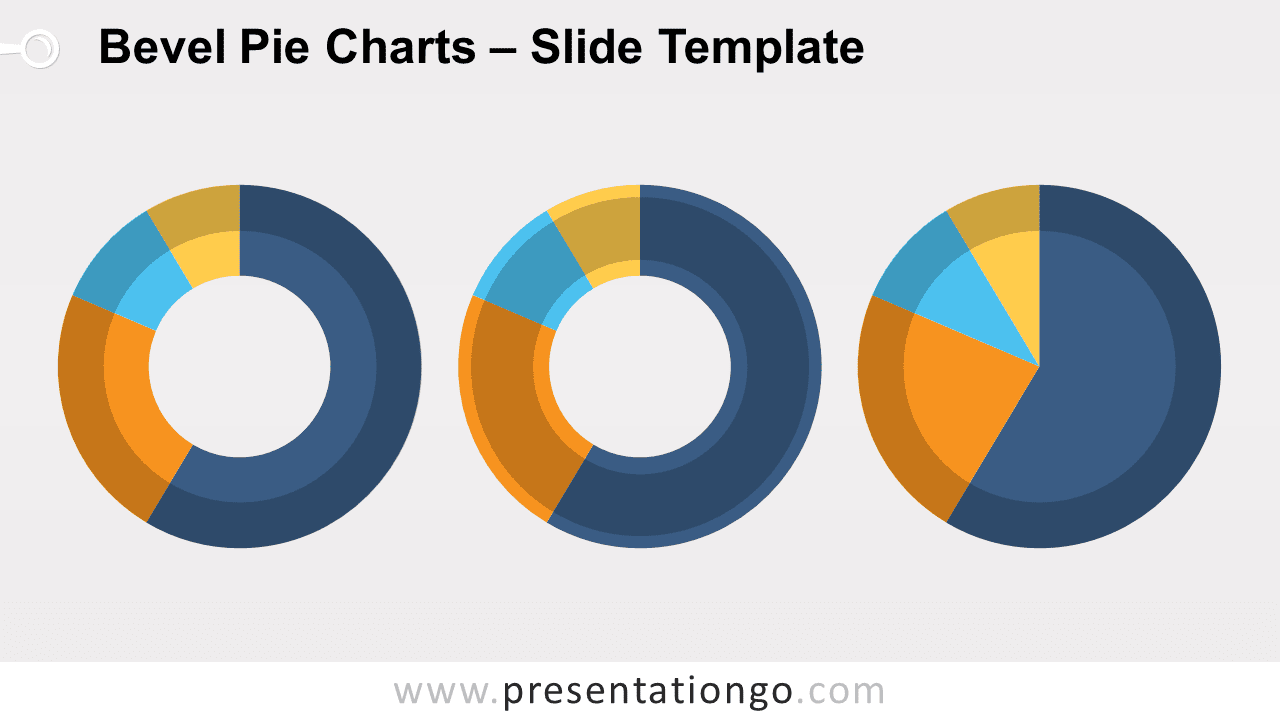


This ‘Bevel Pie-Chart for PowerPoint’ features:
- 2 unique slides
- Light and Dark layout
- Ready to use template
- Completely editable shapes
- Data-driven (pie) charts
- Standard (4:3) and Widescreen (16:9) aspect ratios
- PPTX file
Free fonts used:
- Helvetica (System Font)
- Calibri (System Font)