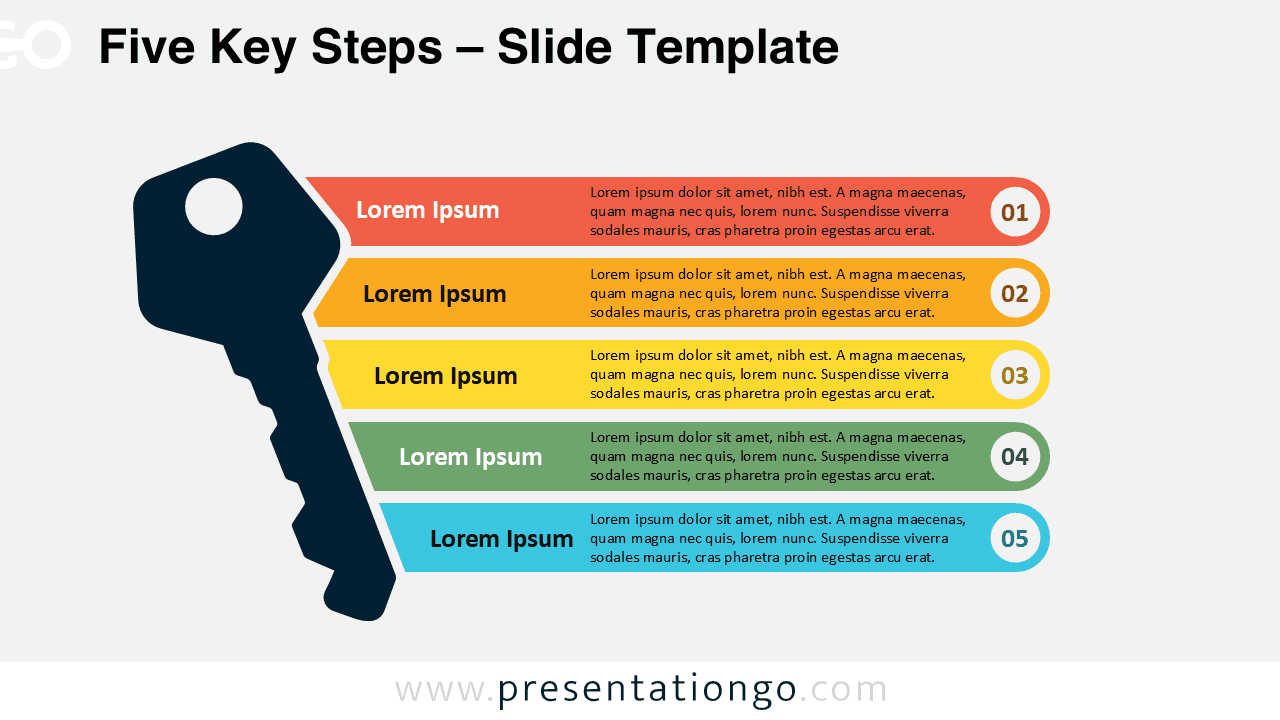
The Five Key Steps template provides a clear framework for presenting sequential processes through five horizontally aligned segments, each featuring numbered badges and customizable content areas designed for PowerPoint and Google Slides.
Symbolic Key Design to Highlight Critical Points
This template showcases five rounded rectangular bars arranged vertically, each containing a distinctive semicircular right end that creates visual flow. A large key silhouette positioned on the left side overlaps all five segments, serving as both a visual anchor and symbolic representation of essential information. Each horizontal bar incorporates three distinct zones: a left-aligned title section, a central body text area for descriptive content, and a circular numbered badge (01-05) positioned on the far right. The color-coded segments ensure clear visual distinction while maintaining professional consistency throughout the design.
Key infographics serve as powerful metaphors in presentations, representing unlocking solutions, accessing critical information, or revealing essential insights to audiences. This specific diagram excels in business strategy presentations where teams need to communicate step-by-step methodologies, project management phases, or implementation roadmaps. Furthermore, it proves invaluable for training sessions outlining standard operating procedures, sales processes, or customer onboarding workflows. The sequential numbering system guides viewers through complex information systematically, while the key imagery reinforces the importance of each step in achieving desired outcomes.
This comprehensive template package includes two unique slides with pre-populated number sequences and text placeholders ready for immediate customization. All shapes remain fully editable, allowing presenters to modify colors, fonts, and sizing according to brand requirements or personal preferences. The template offers both light and dark theme variations to accommodate different presentation environments and audience preferences. Additionally, it supports Standard 4:3 and Widescreen 16:9 formats, ensuring compatibility across various display configurations. The template works seamlessly with both PowerPoint PPTX files and Google Slides, providing flexibility for different software preferences.
Download this Five Key Steps template to transform complex processes into clear, numbered sequences that guide your audience through essential information effectively.
Widescreen (16:9) size preview:


This template offers:
- 2 unique slides
- Options for both light and dark themes
- Pre-populated with icons and text placeholders
- Fully customizable shapes for complete control
- Available in both Standard (4:3) and Widescreen (16:9) ratios
- Offered in both PowerPoint PPTX and Google Slides formats