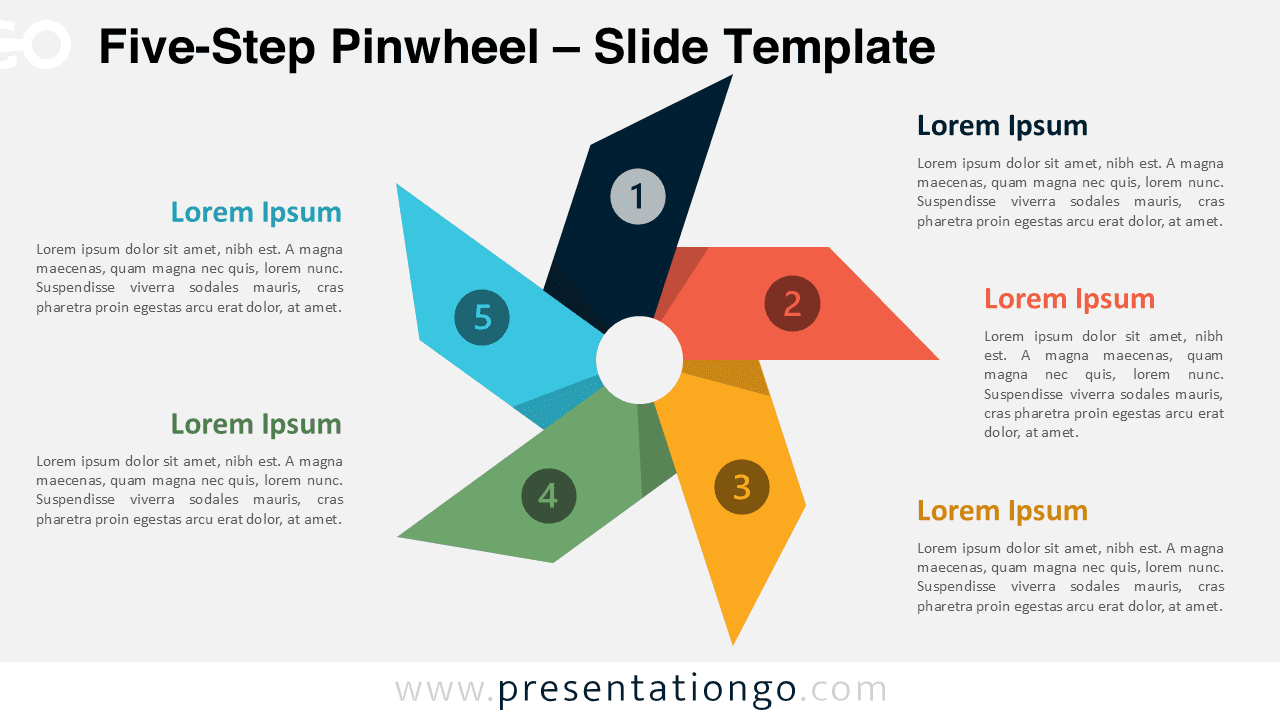
The Five-Step Pinwheel Diagram presents cyclical processes through a radial layout with numbered triangular blades extending from a central hub, designed for PowerPoint and Google Slides presentations.
Visualize Circular Processes with This Five-Part Diagram
This diagram features a radial layout with five triangular blades that form a pinwheel around a central white circle. Each blade displays a circular number icon from 1 to 5, guiding viewers through a logical sequence. The clockwise arrangement naturally directs attention, particularly for left-to-right readers. Each color-coded blade visually links to a corresponding text box—two on the left, two on the right, and one below—to maintain compositional balance. Designers can easily align each step with its explanatory text thanks to the connected placeholders. This layout allows presenters to emphasize each step while keeping focus on the central concept.
Radial diagrams like this one effectively depict circular processes, recurring workflows, or concepts anchored to a central idea. Because each segment connects to the core, the layout reinforces equal importance and interdependency among the elements. Presenters often use this diagram to illustrate product development cycles, innovation stages, or strategic planning phases. It also fits scenarios such as outlining team responsibilities or operational rotations. The built-in numbering and clear text alignment help presenters guide audiences through each step in an intuitive and organized way.
This template offers two slide layouts, each featuring editable number icons and text placeholders. Users can fully customize the shapes and colors to align with their themes. It includes both light and dark versions, offering design flexibility. The template supports Standard (4:3) and Widescreen (16:9) formats and works seamlessly in PowerPoint (PPTX) and Google Slides. Presenters can download and tailor it to suit a wide range of presentation needs.
Download this five-step diagram to clearly present cyclical systems, phased models, or interdependent concepts across two flexible layout options.
Widescreen (16:9) size preview:


This template offers:
- 2 unique slides
- Options for both light and dark themes
- Pre-populated with icons and text placeholders
- Fully customizable shapes for complete control
- Available in both Standard (4:3) and Widescreen (16:9) ratios
- Offered in both PowerPoint PPTX and Google Slides formats