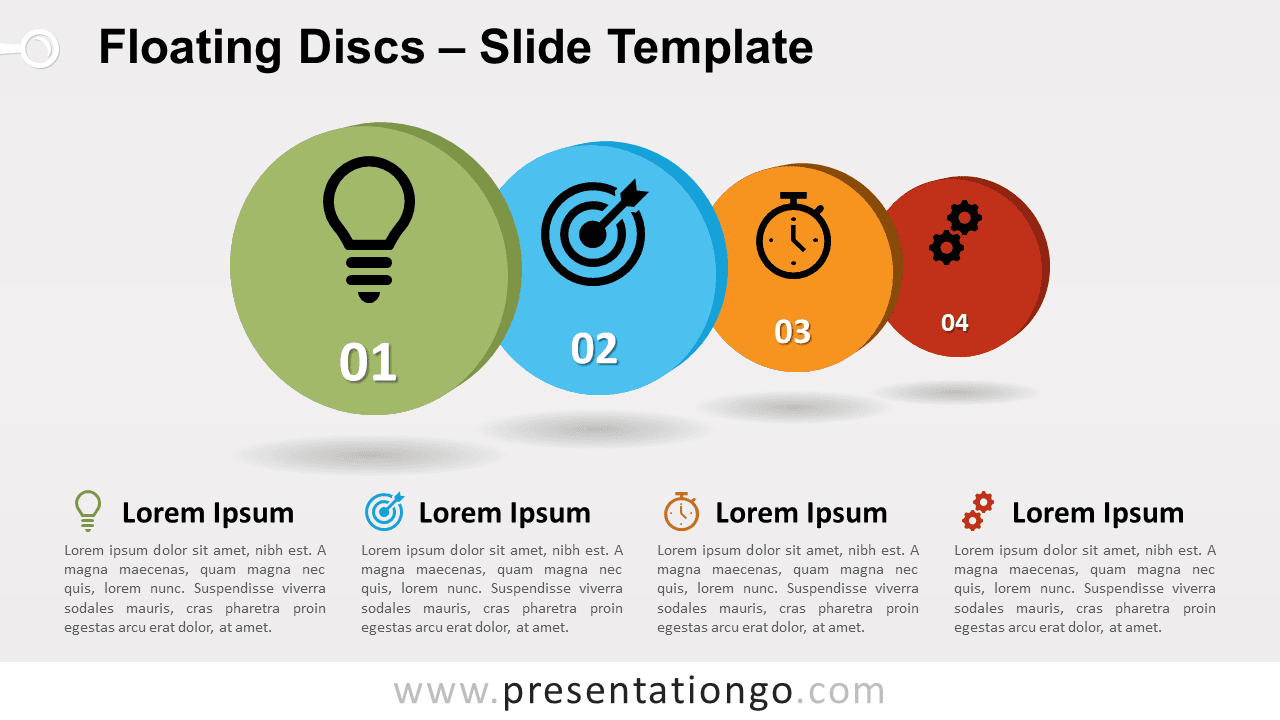
Free floating discs for PowerPoint and Google Slides. A series of 4 aligned colorful discs with shadows and an overlapping 3D effect. Editable graphics with numbers, icons, and text placeholders.
Floating Discs
This design features 4 colorful discs. Each disc has an oblique projection to give a light 2D effect to the objects. In addition, the overlapping technique, the shadow projections, and the size of the discs (from big to smaller) enhance the three-dimensional effect.
In general, these floating discs will be perfect to showcase 4 ideas or concepts. More specifically, this graphic will also help you visually represent an order of importance – the biggest disc being the most important idea and the far right one (i.e., the smallest) being the least significant. Finally, you can use it to show sequential and overlapping steps in a process.
Shapes are 100% editable: colors and sizes can be easily changed.
Includes 2 slide option designs: Standard (4:3) and Widescreen (16:9).
Widescreen (16:9) size preview:


This ‘Floating Discs for PowerPoint and Google Slides’ features:
- 2 unique slides
- Light and Dark layout
- Ready to use template with numbers, icons, and text placeholders
- Completely editable shapes
- Uses a selection of editable PowerPoint icons
- Standard (4:3) and Widescreen (16:9) aspect ratios
- PPTX file and for Google Slides
Free fonts used:
- Helvetica (System Font)
- Calibri (System Font)