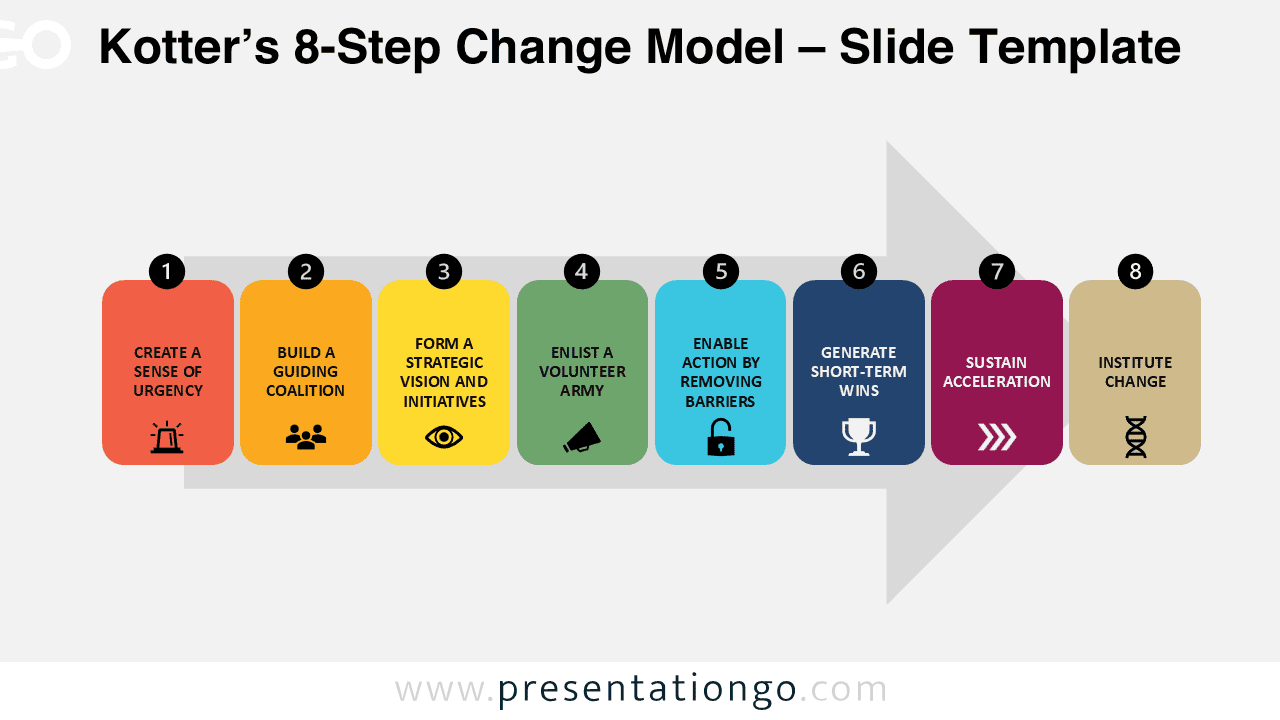
The Kotter’s 8-Step Change Model template visualizes the essential framework for managing organizational change processes in PowerPoint and Google Slides.
Visual Framework for Managing Organizational Change
The Kotter’s 8-Step Change Model is a widely recognized framework that outlines eight critical phases for successfully managing organizational change. Each step—starting from creating urgency to institutionalizing change—helps teams and leaders navigate transitions systematically. This visual template showcases two distinctive styles: a colorful block design and a gradient professional variant, both structured to present each phase sequentially. The slides use a combination of numbered steps, intuitive icons, and clear layout options to convey the model with precision and visual clarity.
This visual layout supports strategic presentations where explaining structured change is essential. Trainers and consultants might use the colorful variant in workshops to encourage engagement and understanding, while project managers and executives may prefer the monochromatic version for formal settings. For example, HR leaders can use it to guide employees through restructuring, or professors might teach it in a change management course. Each slide supports clarity in communication, which is crucial when presenting transformation processes to diverse stakeholders.
The template includes four slides—two original designs in both a bright and a blue theme. All slides are built using the table function, ensuring perfect alignment and easy editing. The design is fully customizable: you can adjust colors, text, and replace the icons with any from the Office icon library. It’s available in both Standard (4:3) and Widescreen (16:9) formats and compatible with PowerPoint and Google Slides.
Download this 8-step change diagram with 2 layout options to support your next strategic presentation.
Widescreen (16:9) size preview:


This template offers:
- 4 unique slides
- Pre-populated with icons and text placeholders
- Fully customizable shapes for complete control
- Available in both Standard (4:3) and Widescreen (16:9) ratios
- Offered in both PowerPoint PPTX and Google Slides formats