The Three-Branch Radial Diagram for PowerPoint and Google Slides presents three related components connected to a central concept. Its circular hub, branching connectors, and rounded information panels create a structured layout for explaining relationships, organizing priorities, and presenting parallel ideas within a single slide.
Diagram Preview
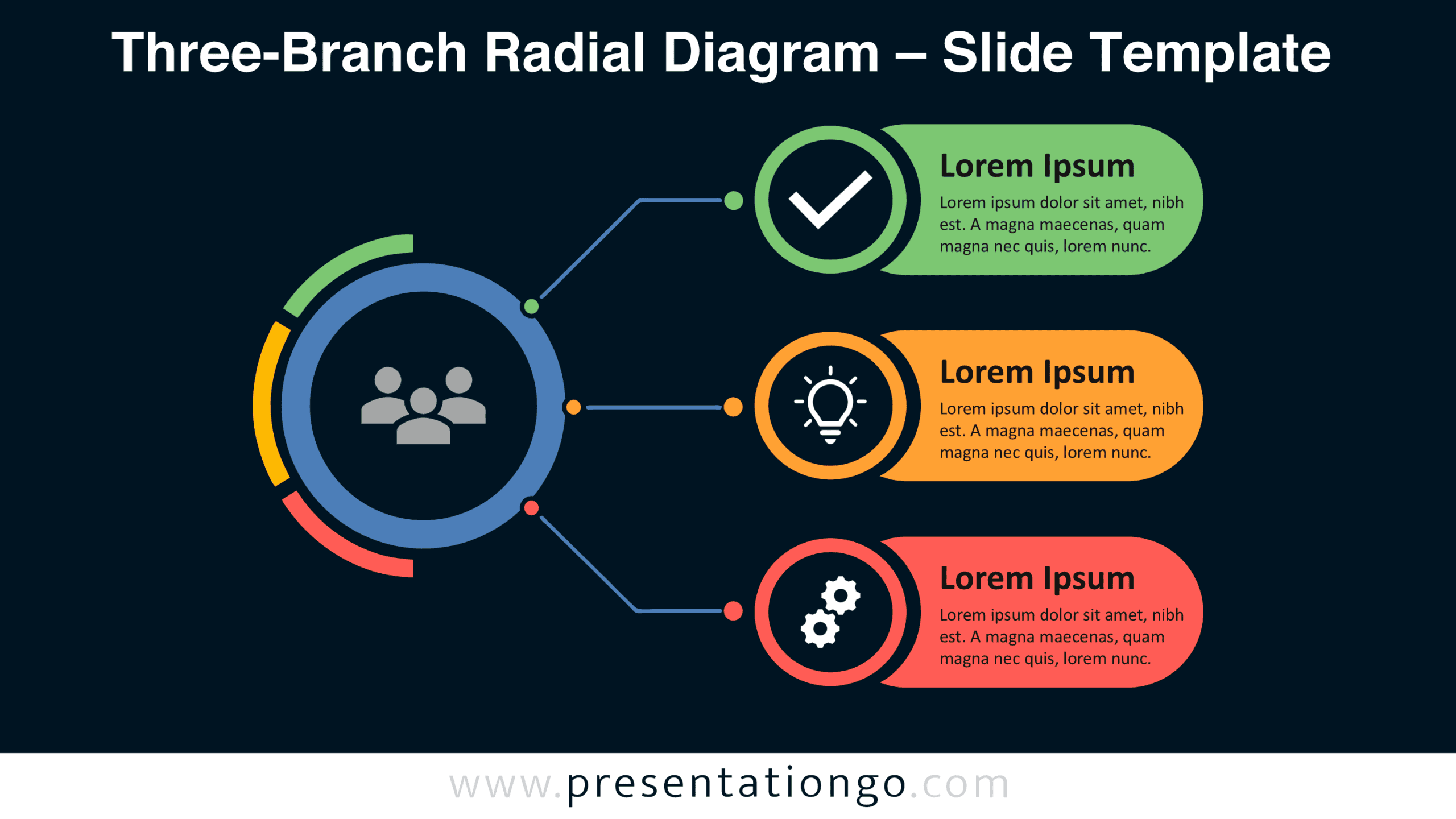
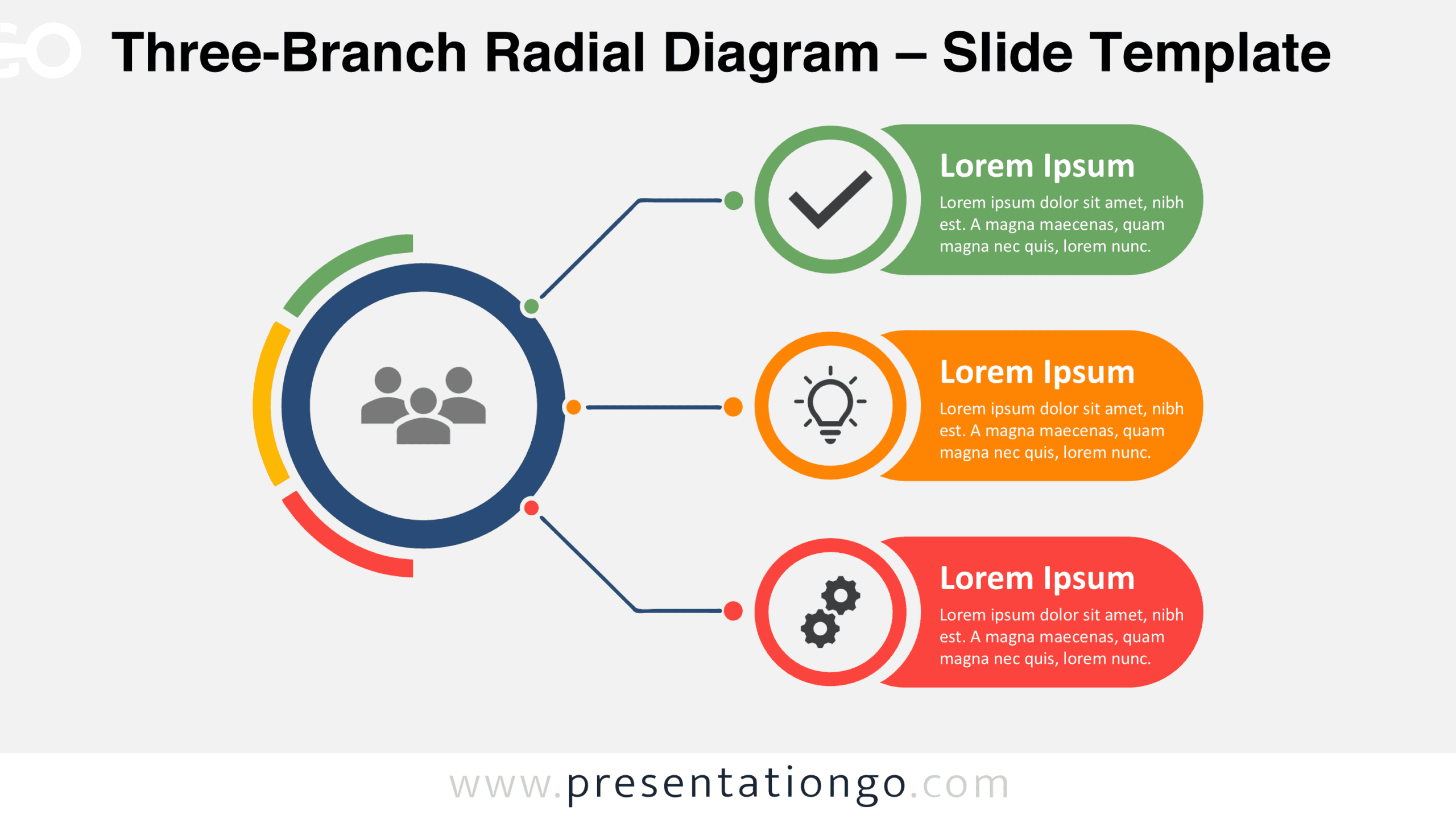
The preview shows two background variations of the same three-branch layout. Both feature a prominent central circle, segmented outer arcs, and three connected information panels arranged vertically. Each branch includes a circular icon placeholder, a heading, and space for supporting text.


Features and Customization Options
- Slides: Three-branch diagram shown in two background variations.
- Customization: Three labeled content areas with space for descriptive text.
- Graphics: Circular hub, segmented arcs, branching connectors, and illustrative icon placeholders.
- Format: Light and Dark background designs with matching layouts.
- Compatibility: Designed for PowerPoint and Google Slides presentations.
Design and Structure
The diagram uses an asymmetrical composition built around a large circular hub positioned on the left. Three curved segments follow part of its outer perimeter, creating distinct sections separated by small gaps. Three connector lines extend from the hub toward the right side of the slide. The upper and lower connectors follow angled paths, while the middle connector runs horizontally. Small circular markers emphasize the connection points and establish a clear relationship between the central element and each branch.
Three elongated, rounded information panels form a vertically aligned column on the right. Each panel incorporates a circular icon placeholder overlapping its left edge, followed by a bold heading and supporting description. Consistent proportions and spacing give the branches equal visual importance. The larger central circle establishes the primary focal point, while the aligned panels organize secondary information into separate sections. This arrangement supports a natural reading direction from the central concept toward its three related components without suggesting a chronological sequence.
Practical Applications
- Strategic priorities: Connect a central objective to three supporting initiatives or areas of focus.
- Project organization: Present three coordinated workstreams contributing to a shared project goal.
- Organizational relationships: Explain how three teams or departments relate to a common function.
- Cause-and-effect analysis: Organize three contributing factors around a central issue or outcome.
- Proposal structure: Present three complementary recommendations supporting one overarching solution.
Summary
The Three-Branch Radial Diagram provides a compact framework for presenting one main subject alongside three connected elements. Its combination of circular geometry, branching lines, and aligned text panels establishes relationships while keeping supporting information clearly separated. The balanced structure helps audiences understand how distinct components contribute to a shared concept.