The Thumbs Comparison Diagram illustrates a 2-option comparison in a mirrored triangular format, designed for PowerPoint and Google Slides.
Balanced Layout for Visual Decision-Making
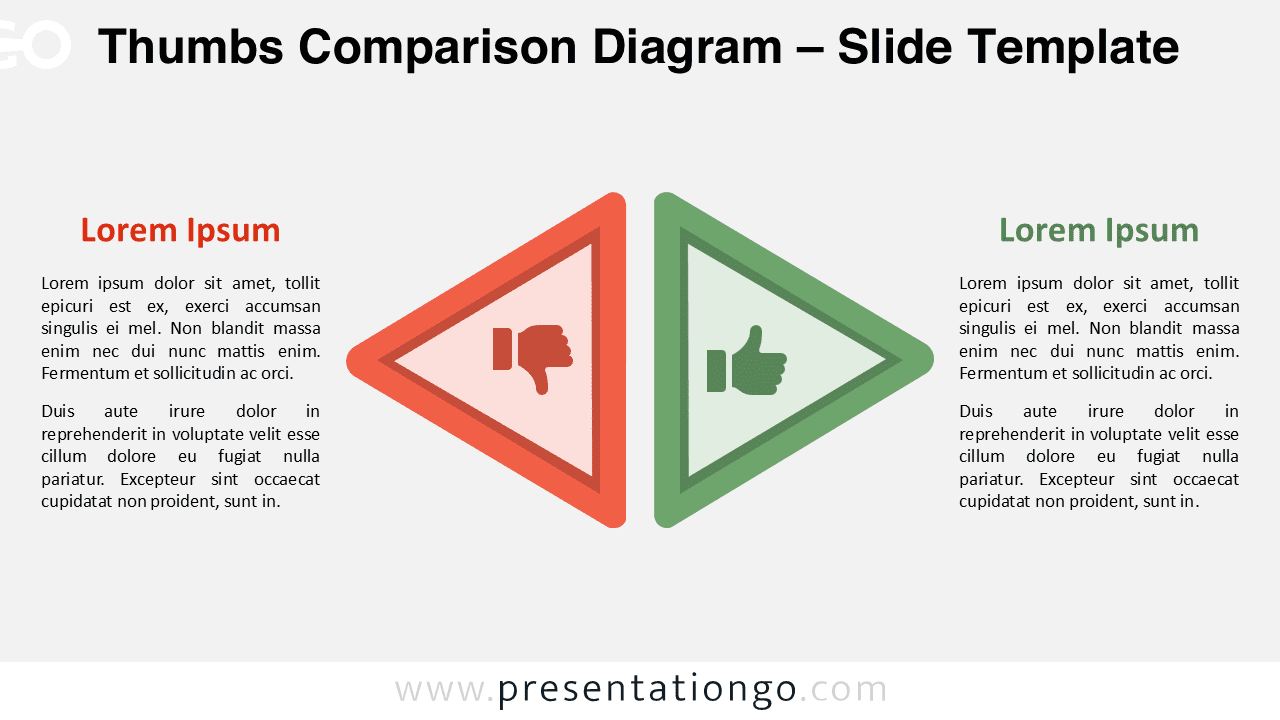
The diagram features a clean, mirrored layout with two large, opposing triangular shapes pointing toward each other, forming a symmetrical and visually balanced composition. Each triangle includes an icon: a thumbs-down on the left in a warm tone and a thumbs-up on the right in a cool tone. Outlined triangle layers enhance depth and focus, while evenly aligned title and text blocks provide a clear and harmonious visual experience. The layout emphasizes directional flow and contrast, guiding attention to the central icons and dividing the slide into two opposing perspectives.
Dual diagrams like this are commonly used in presentations to compare opposing concepts, highlight contrasting outcomes, or support decision-making processes. Their visual symmetry helps the audience quickly grasp both sides of an argument or issue. This specific diagram, with its mirrored thumbs-up and thumbs-down icons, is especially effective for outlining pros and cons, illustrating do vs. don’t scenarios, or presenting performance evaluations. For example, a team might use it to assess two business strategies side by side, compare customer feedback, or summarize lessons learned from a project. The directional triangles and distinct color tones reinforce separation, making each side easy to follow while maintaining visual cohesion.
This template consists of two unique slides pre-filled with icons and placeholder text, allowing for fast editing. All shapes are fully customizable, enabling users to change colors, swap icons, or replace visuals with numbers. It supports both standard (4:3) and widescreen (16:9) formats, and includes light and dark background options. You can use it seamlessly with both PowerPoint and Google Slides.
Download this 2-option comparison diagram to clearly visualize choices, binary decisions, directions, or perspectives in your next presentation.
Widescreen (16:9) size preview:

This template offers:
- 2 unique slides
- Options for both light and dark themes
- Pre-populated with icons and text placeholders
- Fully customizable shapes for complete control
- Available in both Standard (4:3) and Widescreen (16:9) ratios
- Offered in both PowerPoint PPTX and Google Slides formats