
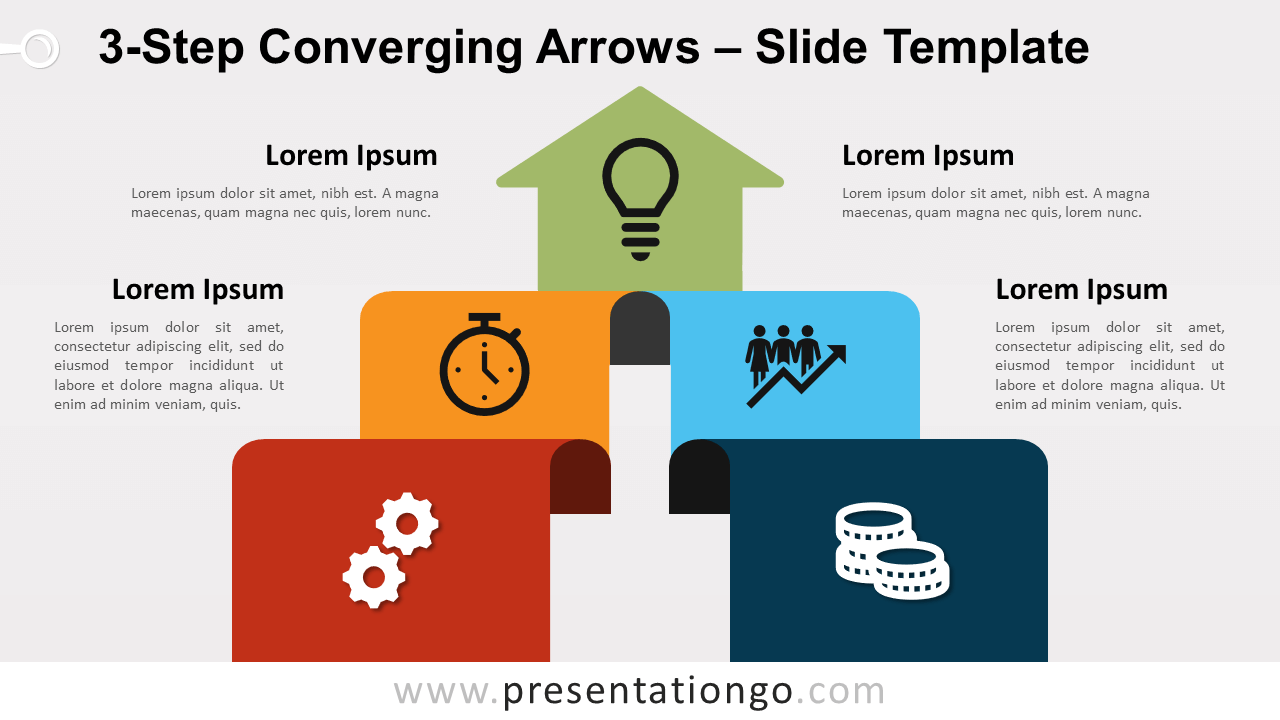
Free 3-step converging arrows for PowerPoint and Google Slides. Two ribbons with 2 folds vertically rising to a single upward arrow. Editable graphics with icons and text placeholders.
3-Step Converging Arrows
You may have several arrows in your quiver, but this presentation template is undoubtedly the best of them all! Climb up the stairs of success with this free 3-Step Converging Arrows slide template!
This original design showcases two ribbons with 2 folds each (that correspond to 2 steps or 3 options) in a vertical step-up progression. Both ribbons merge into one another and thus form a triangular (reversed) funnel shape. The upper part actually represents an arrowhead pointing at the sky, which also looks like the top step of a podium. In addition, you can use the text placeholders on each side to describe your steps or stages.
This free 3-Step Converging Arrows template is the ideal tool to illustrate the increasing evolutions of two linear processes and their conversion into a single one. Growth and success are the main concepts associated with this dynamic and colorful infographic.
Shapes are 100% editable: colors and sizes can be easily changed.
Includes 2 slide option designs: Standard (4:3) and Widescreen (16:9).
Widescreen (16:9) size preview:
This ‘3-Step Converging Arrows for PowerPoint and Google Slides’ features:
- 2 unique slides
- Light and Dark layout
- Ready to use template with icons and text placeholders
- Completely editable shapes
- Uses a selection of editable PowerPoint icons
- Standard (4:3) and Widescreen (16:9) aspect ratios
- PPTX file and for Google Slides
Free fonts used:
- Helvetica (System Font)
- Calibri (System Font)



