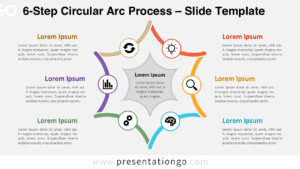
The 6-Step Circle Radial Flow is a diagram designed to represent cyclical or sequential processes, featuring six distinct steps for use in PowerPoint and Google Slides.
6-Step Process Visualization with a Radial Layout
This template showcases a circular radial design with six evenly spaced segments radiating from a central hub. Each segment is numbered from 01 to 06, ensuring clarity in the flow sequence. Accompanying text placeholders surround the diagram, offering ample space for detailed descriptions. Pre-populated icons within the segments help visually differentiate each step, while a carefully chosen color palette enhances comprehension and organization. The structured layout is intuitive, balancing visual and textual elements effectively.
Radial flow diagrams are ideal for illustrating processes like continuous improvement cycles, project phases, or workflows in both business and educational settings. For example, a project manager could use this template to outline the iterative steps of product development, while educators could map out stages of a learning cycle. Its cyclical layout naturally conveys the interconnected nature of each step, making it perfect for conveying systems, strategies, or procedures that loop or repeat.
This template includes two slide variations, each pre-designed with icons and text placeholders. It features fully customizable shapes, allowing users to adjust colors, replace icons, or tailor text to fit their needs. The template is offered in both Standard (4:3) and Widescreen (16:9) formats, with light and dark theme options for adaptability to different presentation styles. It’s compatible with PowerPoint (PPTX) and Google Slides, ensuring maximum flexibility.
Download this versatile 6-step template to illustrate your cyclical or sequential processes with clarity and professionalism.
Widescreen (16:9) size preview:


This template offers:
- 2 unique slides
- Options for both light and dark themes
- Pre-populated with icons and text placeholders
- Fully customizable shapes for complete control
- Available in both Standard (4:3) and Widescreen (16:9) ratios
- Offered in both PowerPoint PPTX and Google Slides formats
The complete Circle Radial Flow collection: