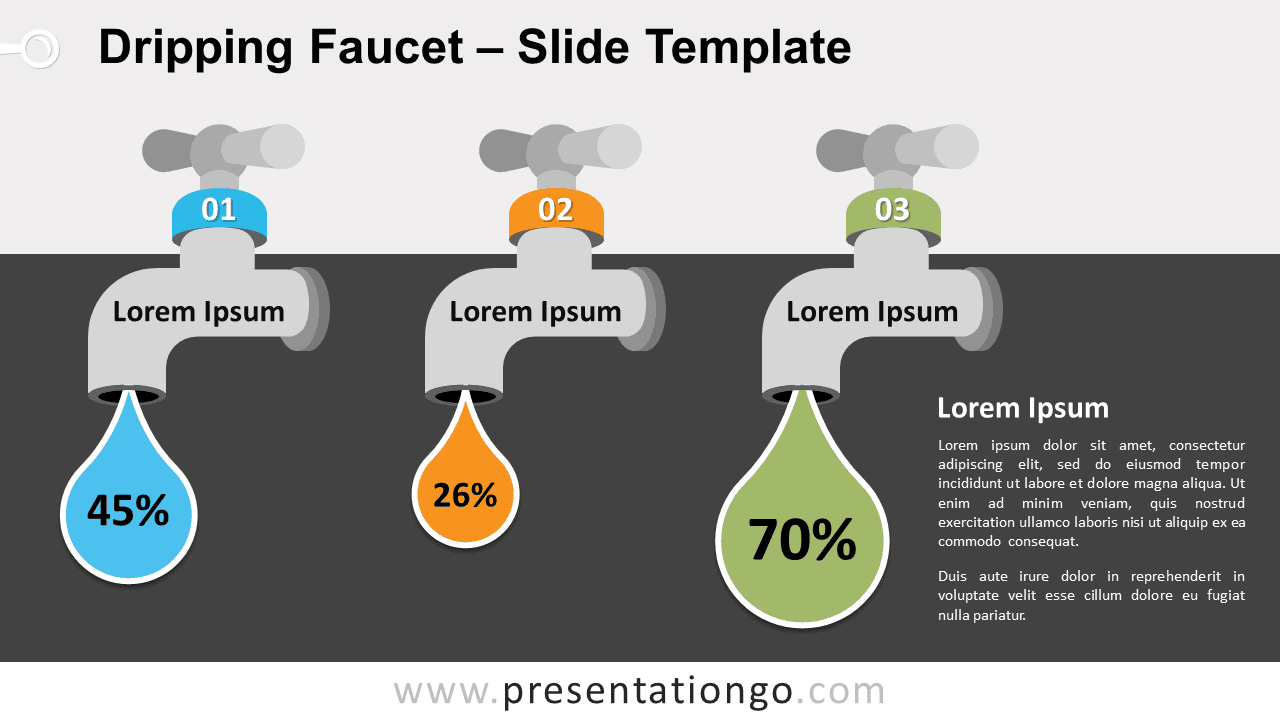
Free dripping faucet for PowerPoint and Google Slides. Three (3) faucet graphics with a resizeable drop. Great as a non-data-driven chart alternative. Editable graphics with numbers and text placeholders.
Dripping Faucet
Simple numbers are sometimes hard to memorize. This template will help your audience remember some key figures you will share.
This dripping faucet template is perfect to showcase numbers, like percent.
Use this infographic chart in your presentation to compare quantitative results.
Usage instructions:
You can easily adjust the size of the drop. Select the teardrop shape, and slide it vertically to resize it.
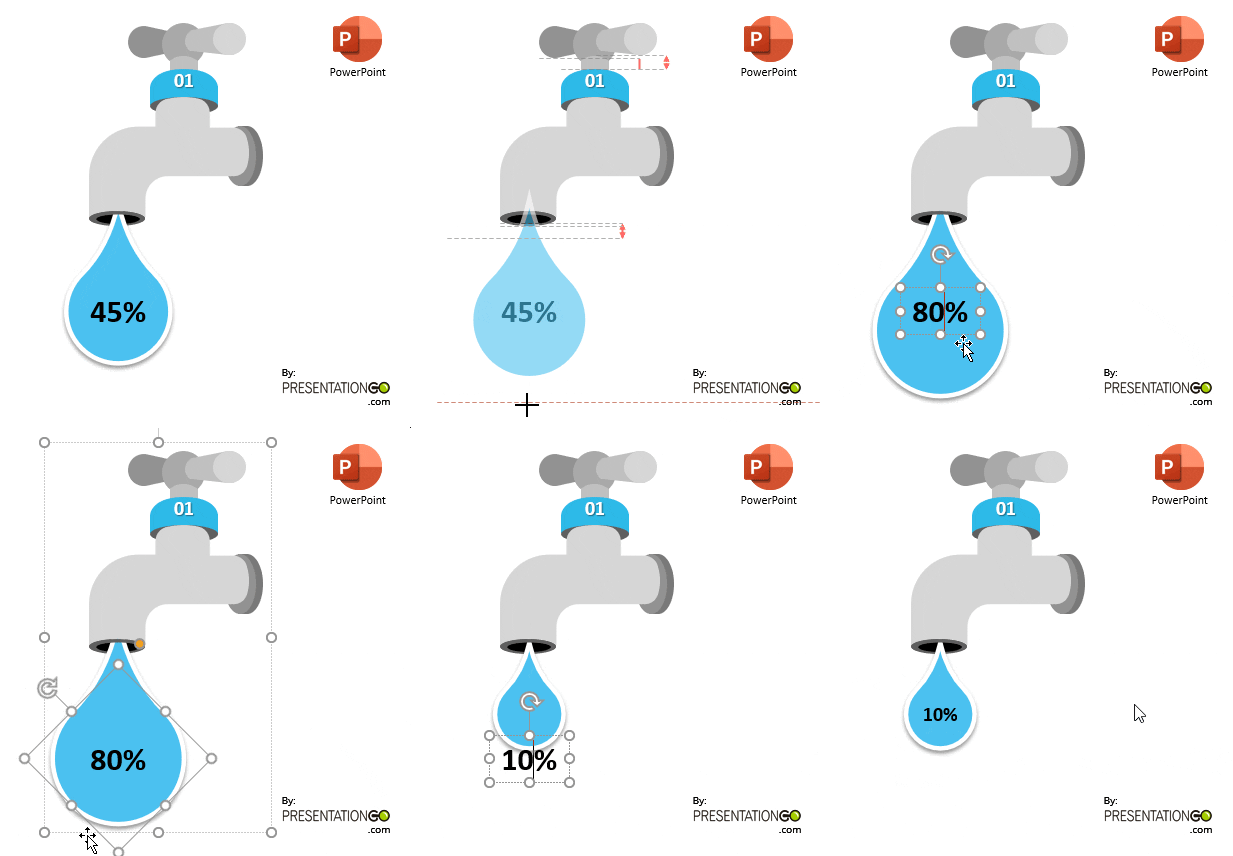
Shapes are 100% editable: colors and sizes can be easily changed.
Includes 2 slide option designs: Standard (4:3) and Widescreen (16:9).
Widescreen (16:9) size preview:


This ‘Dripping Faucet for PowerPoint and Google Slides’ features:
- 2 unique slides
- Light and Dark layout
- Ready to use template with numbers and text placeholders
- Completely editable shapes
- Standard (4:3) and Widescreen (16:9) aspect ratios
- PPTX file and for Google Slides
Free fonts used:
- Helvetica (System Font)
- Calibri (System Font)