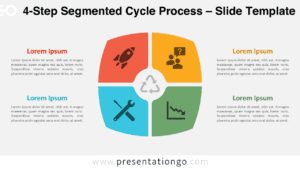
The Four-Step Pinwheel Diagram presents four interconnected processes through a symmetrical radial design for PowerPoint and Google Slides presentations.
Diagram Framework to Present Four Key Concepts
This diagram features a pinwheel-like radial design with four wide, arrow-shaped segments that point diagonally outward from a central white circle. Each section includes a numbered icon (1–4), which guides viewers through a clockwise sequence. Outside each arrow, two text boxes—placed to the left and right—display bold headings and placeholder descriptions that match the segment’s color, reinforcing visual links. The layout centers the content, creating visual balance, while the diagonal arrows generate a natural flow from the middle outward.
Presenters often use radial diagrams to show cycles, interconnected elements, or processes that return to a starting point. This layout works especially well when four components or concepts hold equal weight and connect to a shared core idea. Product teams might use it to group feature sets, teachers could outline lesson phases, and project managers may divide responsibilities across roles. Numbered icons lead viewers step-by-step, while side-aligned text sections keep the graphic clean and easy to follow.
This template provides two unique slides with ready-made icons and text placeholders. You can change colors freely and replace the numeric icons with others from the Office icon library. The file includes light and dark themes and comes in both Standard (4:3) and Widescreen (16:9) formats. It works seamlessly with PowerPoint and Google Slides.
Download this four-part diagram to present cyclical concepts or central themes with clarity and balance.
Widescreen (16:9) size preview:


This template offers:
- 2 unique slides
- Options for both light and dark themes
- Pre-populated with icons and text placeholders
- Fully customizable shapes for complete control
- Available in both Standard (4:3) and Widescreen (16:9) ratios
- Offered in both PowerPoint PPTX and Google Slides formats