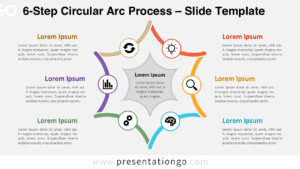
The Hexagon Arrow Line Diagram is a six-step illustration designed for simplifying complex processes in PowerPoint and Google Slides presentations, forming a hexagon shape that symbolizes cyclical or iterative processes.
Six-Step Hexagon Design for Clear Process Visualization
This template features interconnected arrow lines that create a clear directional flow, guiding the audience smoothly through each step. Each of the six distinct steps includes a text box for brief descriptions, and the hexagon shape adds geometric simplicity and symmetry, aiding information retention. The central icon, like a trophy, visually represents the ultimate goal or core theme, anchoring the audience’s focus.
Circular or cycle diagrams like this one are excellent for visualizing processes that loop or repeat. This template is ideal for project managers, educators, and business professionals who need to break down six main components or stages of a process. In a presentation, it enhances audience comprehension by providing a clear, sequential flow. For instance, a project manager could use it to outline a project lifecycle, while a teacher might demonstrate the steps of a scientific method.
The presentation document includes two unique slides pre-populated with text placeholders. It offers fully customizable shapes for complete control and options for both light and dark themes. Available in Standard (4:3) and Widescreen (16:9) ratios, it comes in both PowerPoint PPTX and Google Slides formats.
Download the Hexagon Arrow Line Diagram to effectively illustrate your six-step processes.
Widescreen (16:9) size preview:


This template offers:
- 2 unique slides
- Options for both light and dark themes
- Pre-populated with text placeholders
- Fully customizable shapes for complete control
- Available in both Standard (4:3) and Widescreen (16:9) ratios
- Offered in both PowerPoint PPTX and Google Slides formats
The complete Arrow Line Diagram collection: