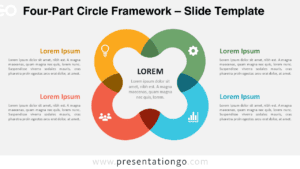
The Square Arrow Line Diagram for PowerPoint and Google Slides presents a four-step process in a geometric square shape, ideal for illustrating circular workflows or iterative procedures.
Four-Step Square Arrow Diagram for Cyclical Processes
This diagram template features four interconnected arrow lines forming a square, each pointing to the next step. Text boxes accompany each arrow, allowing for brief descriptions or key points. A central icon represents the core theme or ultimate goal, providing a visual anchor. The diagram’s symmetrical design enhances information retention and aesthetic appeal.
Circular diagrams effectively showcase cyclical processes or continuous improvement cycles. This template is particularly useful for business strategy presentations, project management overviews, or educational content. It simplifies complex ideas into digestible segments, making it easier for audiences to follow and remember key information. Presenters can use this diagram to outline stages of a product lifecycle, steps in a quality assurance process, or phases of organizational change.
The presentation document includes two unique slides with text placeholders. Users can fully customize shapes for precise control. Both light and dark themes are available, accommodating different presentation environments. The template comes in Standard (4:3) and Widescreen (16:9) ratios, compatible with PowerPoint PPTX and Google Slides formats.
Download this four-step Square Arrow Line Diagram to enhance your presentations with clear, structured visual communication.
Widescreen (16:9) size preview:


This template offers:
- 2 unique slides
- Options for both light and dark themes
- Pre-populated with text placeholders
- Fully customizable shapes for complete control
- Available in both Standard (4:3) and Widescreen (16:9) ratios
- Offered in both PowerPoint PPTX and Google Slides formats
The complete Arrow Line Diagram collection: