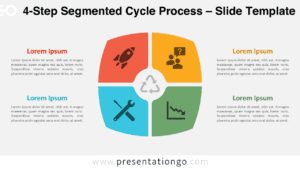
The Four-Part Central Matrix organizes four related topics around one shared central concept. Its 2×2 arrangement combines the structure of a matrix with the visual focus of a central hub, making it suitable for strategy, comparisons, priorities, business models, and category-based analysis in PowerPoint and Google Slides.
Diagram Preview


Features and Customization Options
- Compatible with Microsoft PowerPoint and Google Slides
- 2 slides × 2 backgrounds (light and dark)
- Pre-built four-part matrix structure
- Editable text, shapes, colors, and icon placeholders
- Office library icons included for illustration purposes only
- Office icons can be replaced, recolored, or resized
- Includes both light and dark background versions
Design and Structure
The Four-Part Central Matrix places four rounded content blocks around a central circle. Each section points toward the middle, reinforcing the relationship between individual categories and the main topic. The balanced 2×2 composition also supports quadrant-style analysis without requiring traditional grid lines.
Each outer section provides space for a heading, supporting text, and an icon placeholder. The central circle can display the main objective, theme, product, issue, or strategic focus. You can edit the text and shapes directly, adjust the design to match your presentation, and replace the sample Office icons when needed.
Practical Applications
- Compare four business categories around one central objective
- Present four strategic priorities or organizational pillars
- Build a four-quadrant framework for planning or analysis
- Summarize four product features linked to one offering
- Organize four project areas around a shared goal
- Explain four factors that influence one central outcome
Summary
The Four-Part Central Matrix combines a 2×2 matrix structure with a central hub for presenting four connected ideas. Its editable layout works for strategy, comparisons, planning, business frameworks, and concept analysis in PowerPoint and Google Slides.