The 4-Step Perspective Multi-Lane Diagram is designed to help you present four parallel ideas, roles, or workflow steps clearly and professionally. Created for PowerPoint and Google Slides, this perspective-based layout brings depth and structure to your presentation. Each lane includes a title block, an icon, a human figure marker, and text placeholders to help you communicate your message effectively.
Diagram Preview

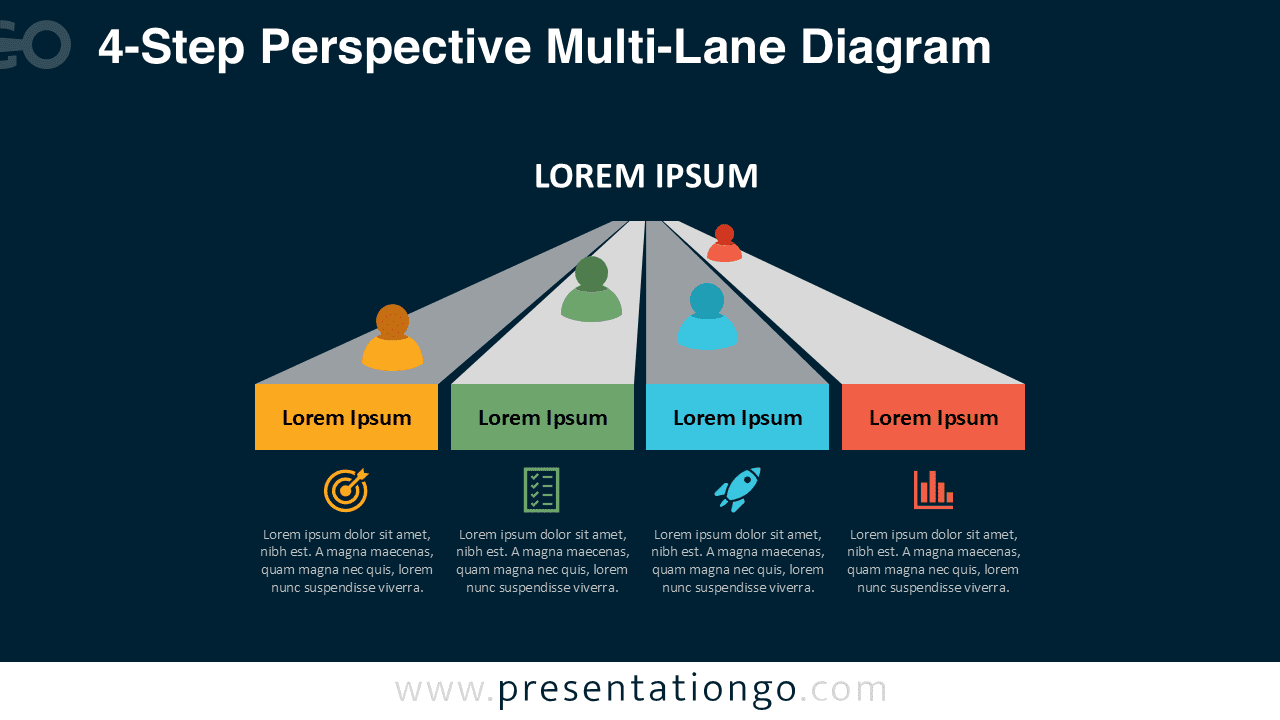


Diagram Features and Customization Options
- Four-lane perspective layout for multi-track processes
- Fully editable shapes, text, and colors
- Includes editable icon placeholders
- Compatible with PowerPoint and Google Slides
- Two theme variations: light and dark
Design and Structure
The design uses converging perspective lanes to indicate direction and alignment across four separate but related steps. Each lane is color-coded and includes its own icon and descriptive text, allowing you to highlight details without overwhelming your audience. The human figure markers reinforce the idea of ownership, responsibility, or participation in each step.
With both light and dark versions available, the diagram works well in a wide range of presentation settings. All elements are customizable, so you can adjust colors, icons, and text to match your content or brand identity.
Practical Applications
- Four-step or four-phase workflows
- Team or department mapping
- Multi-track project planning
- Strategic pillars or capability areas
- Role-based or process-based segmentation
Complete Perspective Multi-Lane Diagram Collection
This diagram is part of the complete Perspective Multi-Lane Diagram Collection, which includes four variants: 3-Step, 4-Step, 5-Step, and 6-Step versions. Each layout follows the same design language but adapts the number of lanes to fit your presentation needs. Using the full collection provides flexibility for scaling your message across different slide contexts while maintaining a consistent visual style.


Summary
The 4-Step Perspective Multi-Lane Diagram for PowerPoint and Google Slides offers a structured and visually appealing way to communicate parallel processes and multi-step workflows. Its clean layout, editable icons, and perspective design make it a strong asset for business, educational, and strategic presentations.
Frequently Asked Questions (FAQ)
Yes. All icons are editable placeholders. You can delete the existing icon and insert your own PNG, SVG, or vector graphic.
PowerPoint:
Right-click the icon, choose Change Graphic → From Icons / From File, select your new icon, then resize or recolor as needed. This replaces the graphic without losing alignment.
Google Slides:
Delete the icon and insert a new one using Insert → Image for PNG/SVG files. Position it in the same place and resize as needed.