The 4-Option Speedometer Gauge Diagram provides a performance measurement framework with four rating levels, designed for PowerPoint and Google Slides.
Four-Part Gauge Illustration for Four Performance Metrics
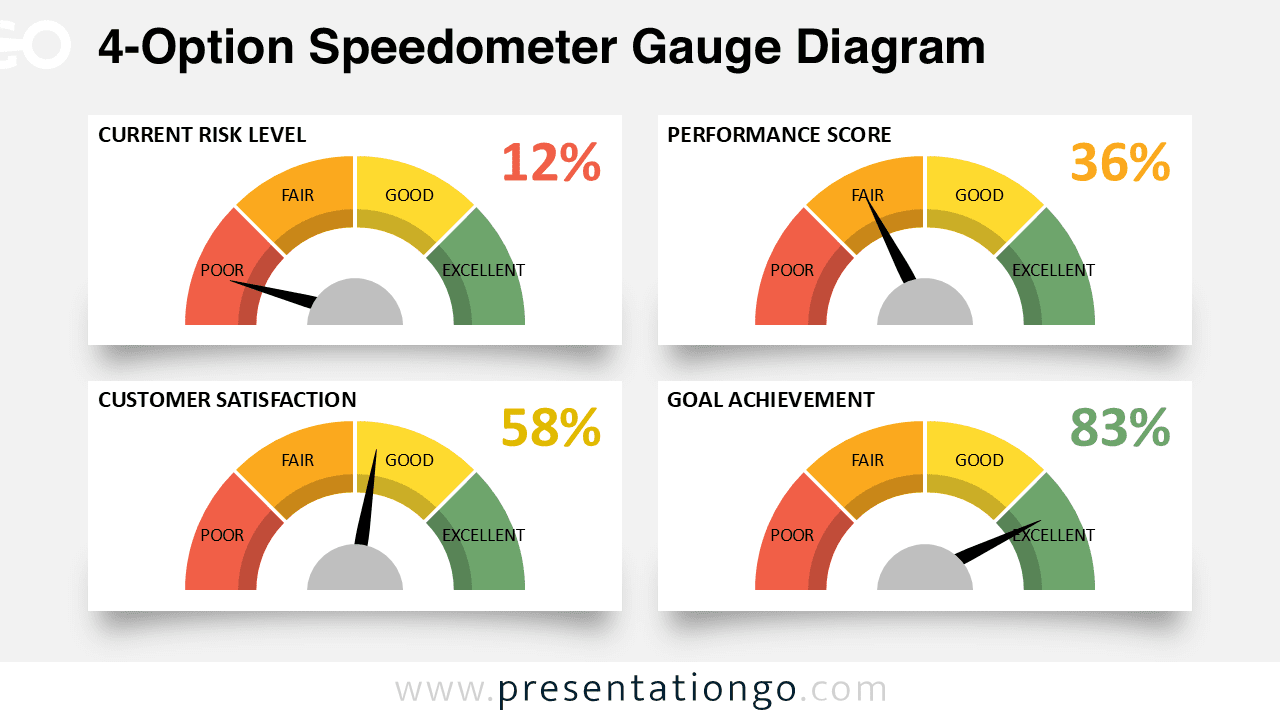
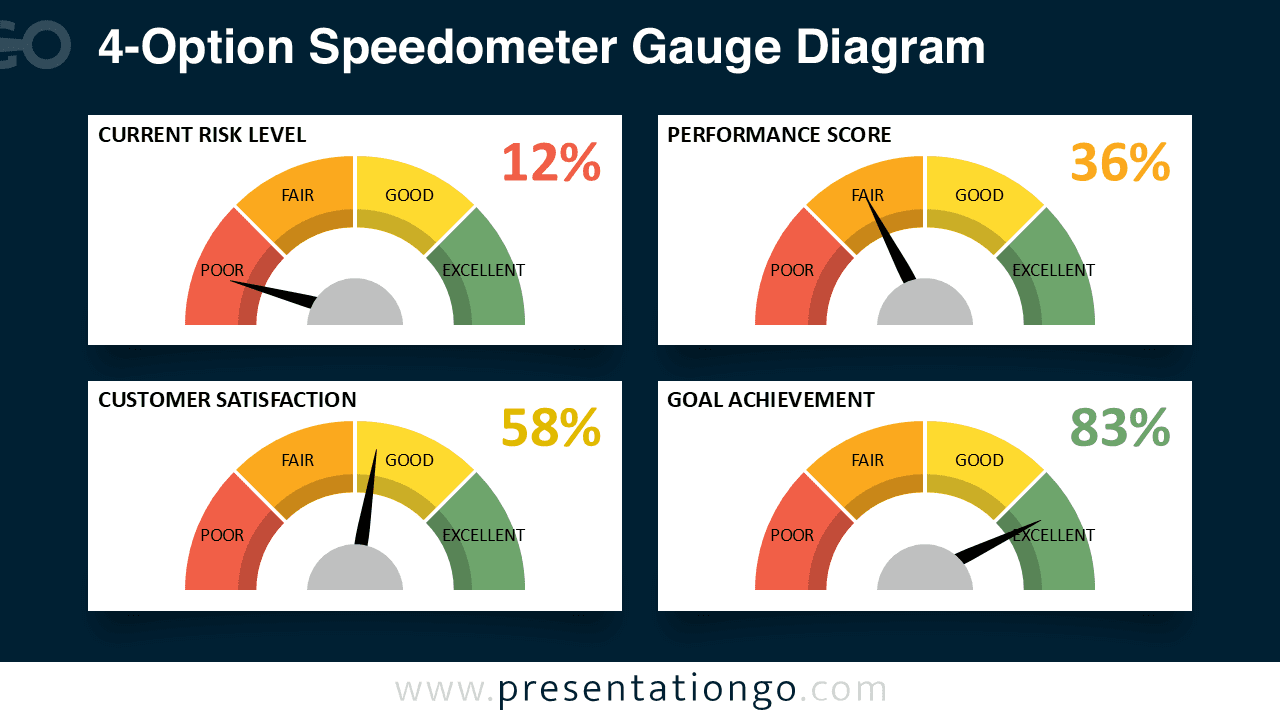
This template features four semi-circular gauge diagrams arranged in a balanced 2×2 grid configuration. Each gauge displays four color-coded segments—Poor (red), Fair (orange), Good (yellow), and Excellent (green)—with a pointer needle indicating the current performance level. Large percentage values accompany each gauge, providing immediate numerical context. The uniform sizing and spacing of the gauges create a cohesive dashboard that facilitates direct comparison across multiple metrics simultaneously. The color progression from red to green offers intuitive visual feedback that audiences can interpret quickly without extensive explanation.
Speedometer gauge charts translate numerical data into an instantly recognizable visual format that mimics familiar analog instruments. These diagrams work particularly well when presenters need to communicate performance levels, quality ratings, or progress toward specific benchmarks. This four-gauge configuration proves especially valuable when comparing related metrics—such as displaying customer satisfaction alongside employee engagement, product quality, and delivery speed in a quarterly business review. Marketing teams can use it to showcase campaign performance across different channels, while project managers can track milestone completion, budget adherence, team productivity, and stakeholder satisfaction on a single slide. Furthermore, the gauge format makes it easy for audiences to identify which areas need improvement and which are performing well, supporting data-driven decision-making during presentations.
The template includes 2 unique slides with pre-populated text placeholders for easy content insertion. All shapes are fully customizable, allowing presenters to adjust colors, sizes, and labels to match their branding requirements or presentation theme. Both light and dark background themes are included, providing flexibility for different presentation environments and personal preferences. The template is available in Standard (4:3) and Widescreen (16:9) formats, ensuring compatibility with various display setups. It works seamlessly with both PowerPoint PPTX and Google Slides, making it accessible regardless of your preferred presentation platform.
Download this 4-option gauge template to create comprehensive performance dashboards that communicate multiple metrics clearly and effectively.
Widescreen (16:9) size preview:


This template offers:
- 2 unique slides
- Options for both light and dark themes
- Pre-populated with text placeholders
- Fully customizable shapes for complete control
- Available in both Standard (4:3) and Widescreen (16:9) ratios
- Offered in both PowerPoint PPTX and Google Slides formats
The complete Speedometer Gauge Diagram collection: